Workday – How do I create a job requisition for a position?
Updated 2 weeks ago
In this article, you'll learn how to create a Job Requisition in Workday.
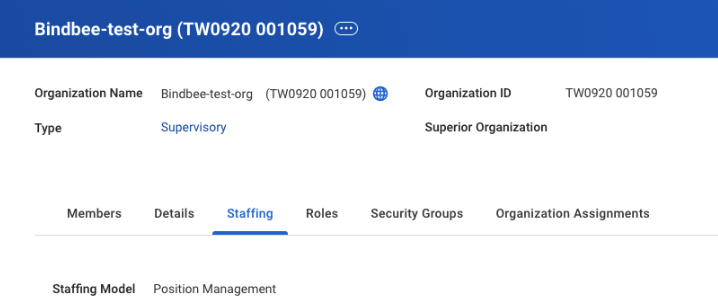
Step 1: Go to the Staffing tab of your Supervisory org, ensure the staffing model is Position Management.
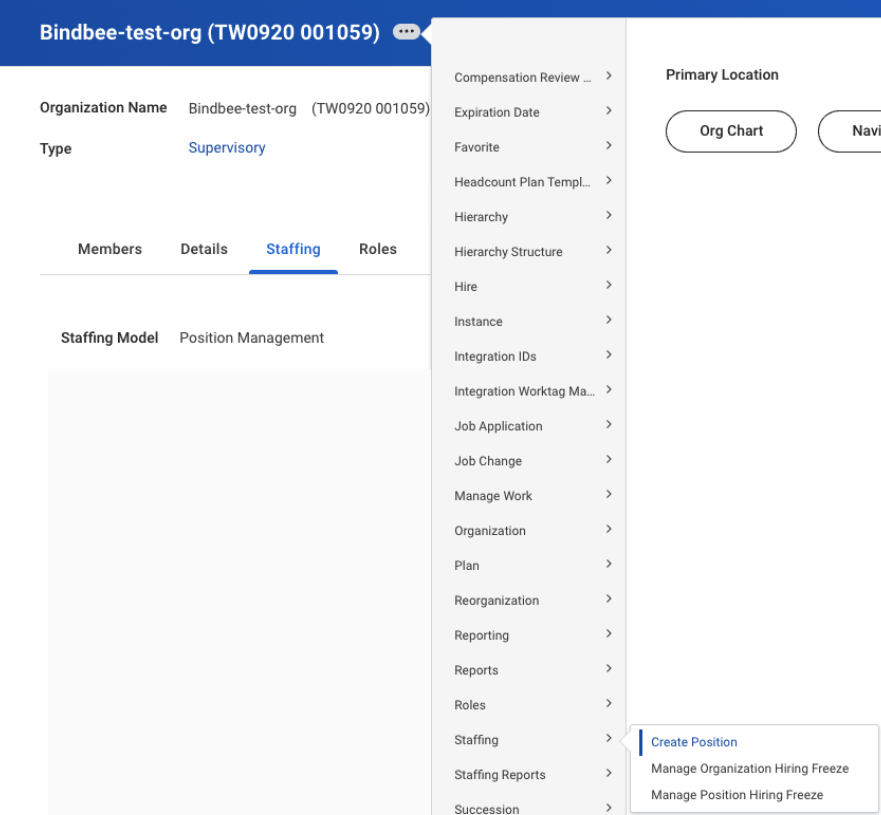
Step 2: Click the action button (the three dot button) next to the Organization title > select Staffing > Create Position.
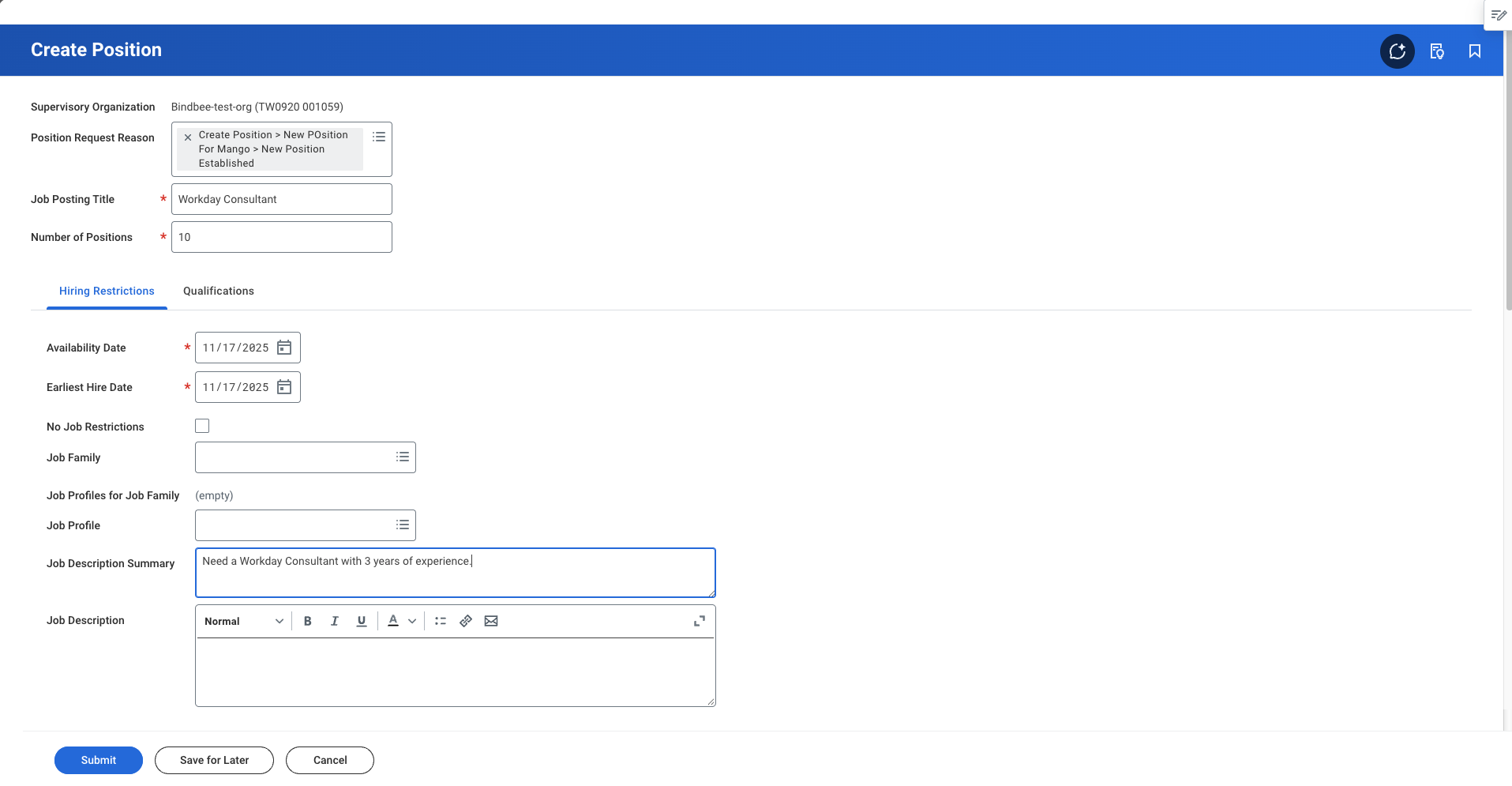
Step 3: Fill in the details and click on Submit.
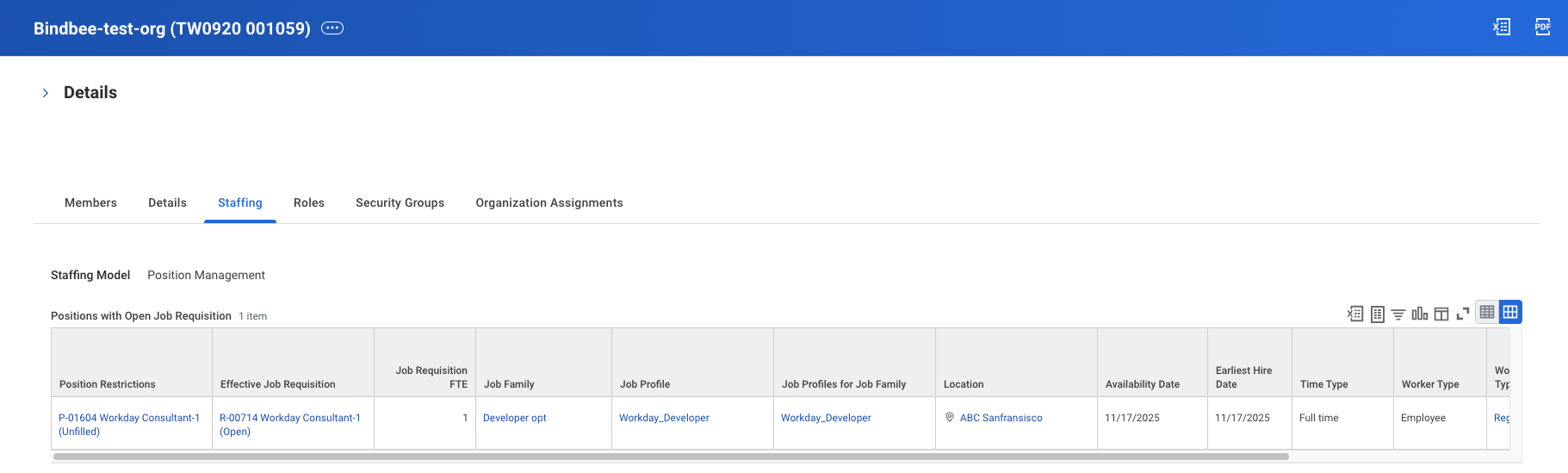
Step 4: You should see the created Positions under the Staffing tab of your organization.
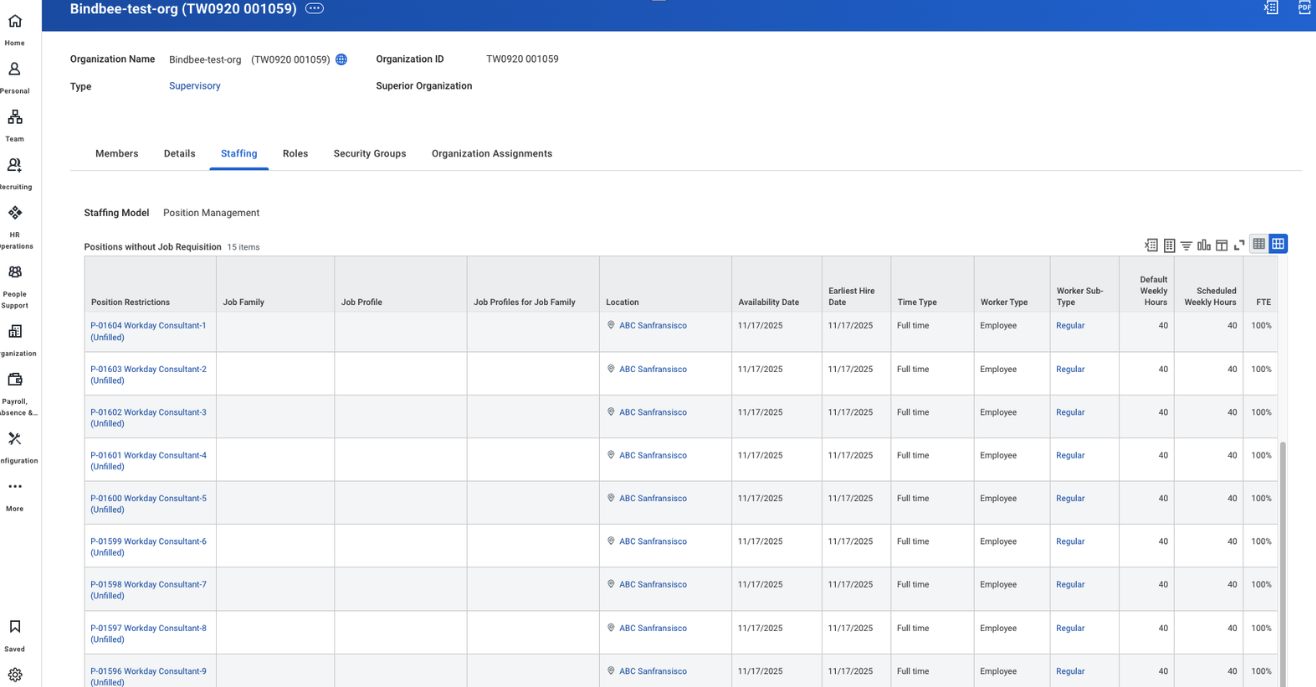
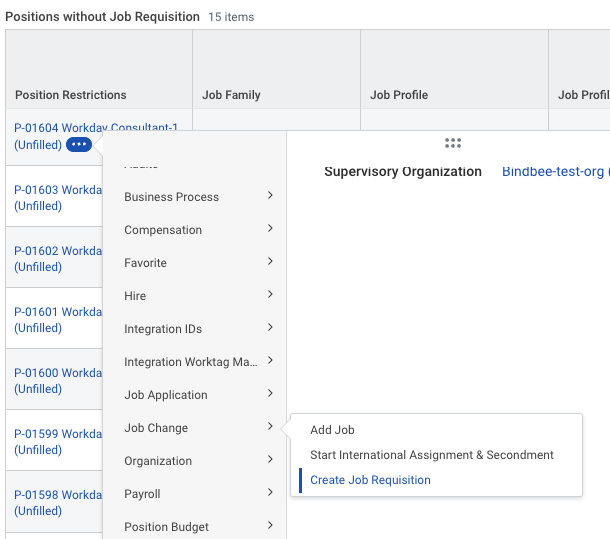
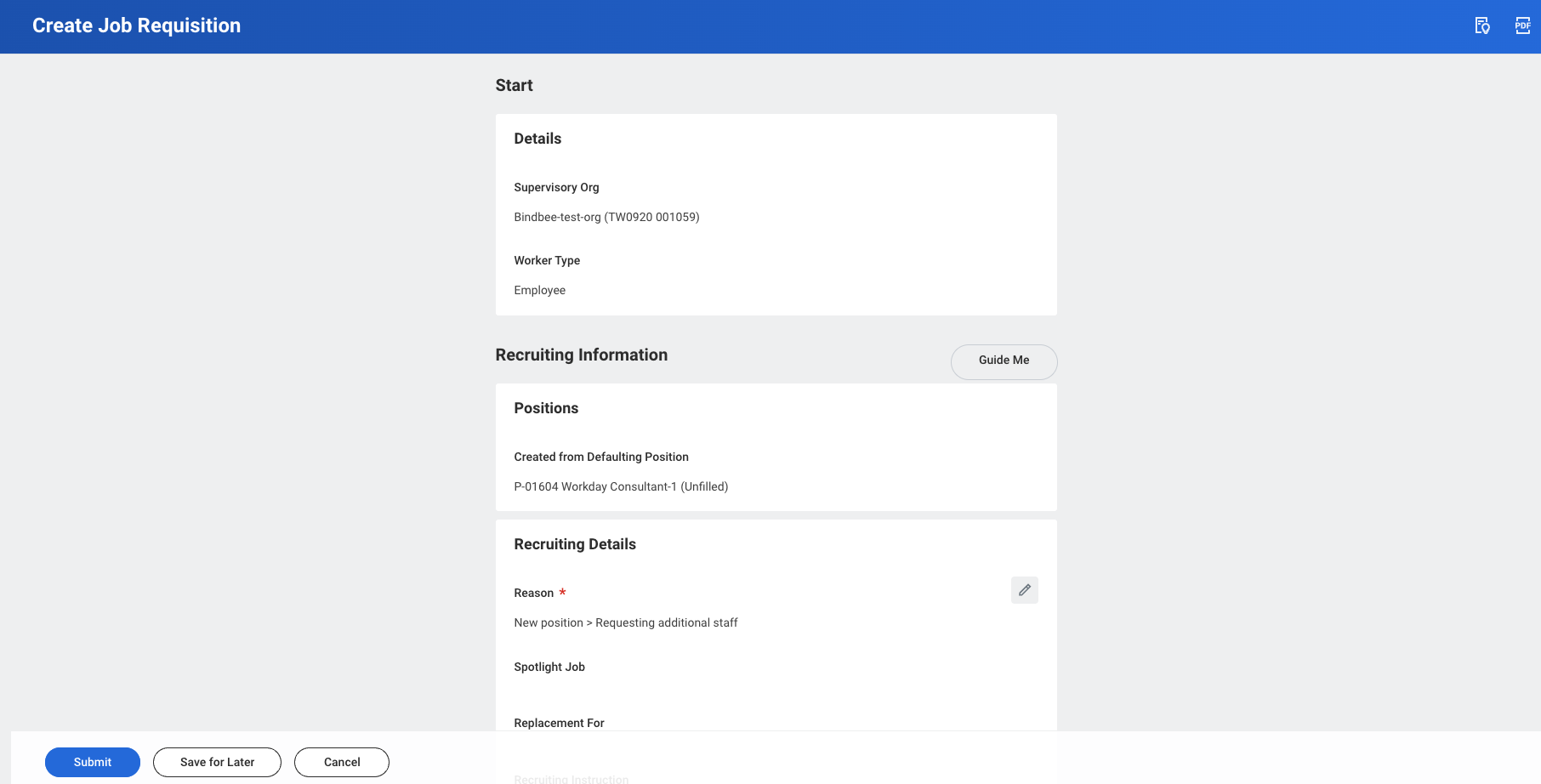
Step 5: Click the action button (the three dot button) next to one of the Position > select Job Change > Create Job Requisition.
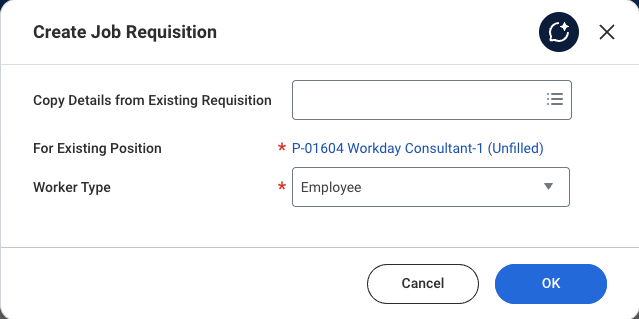
Step 6: Select any existing Job Requisition, if you want to copy its details into the new Job Requisition, else leave it blank. Click OK.
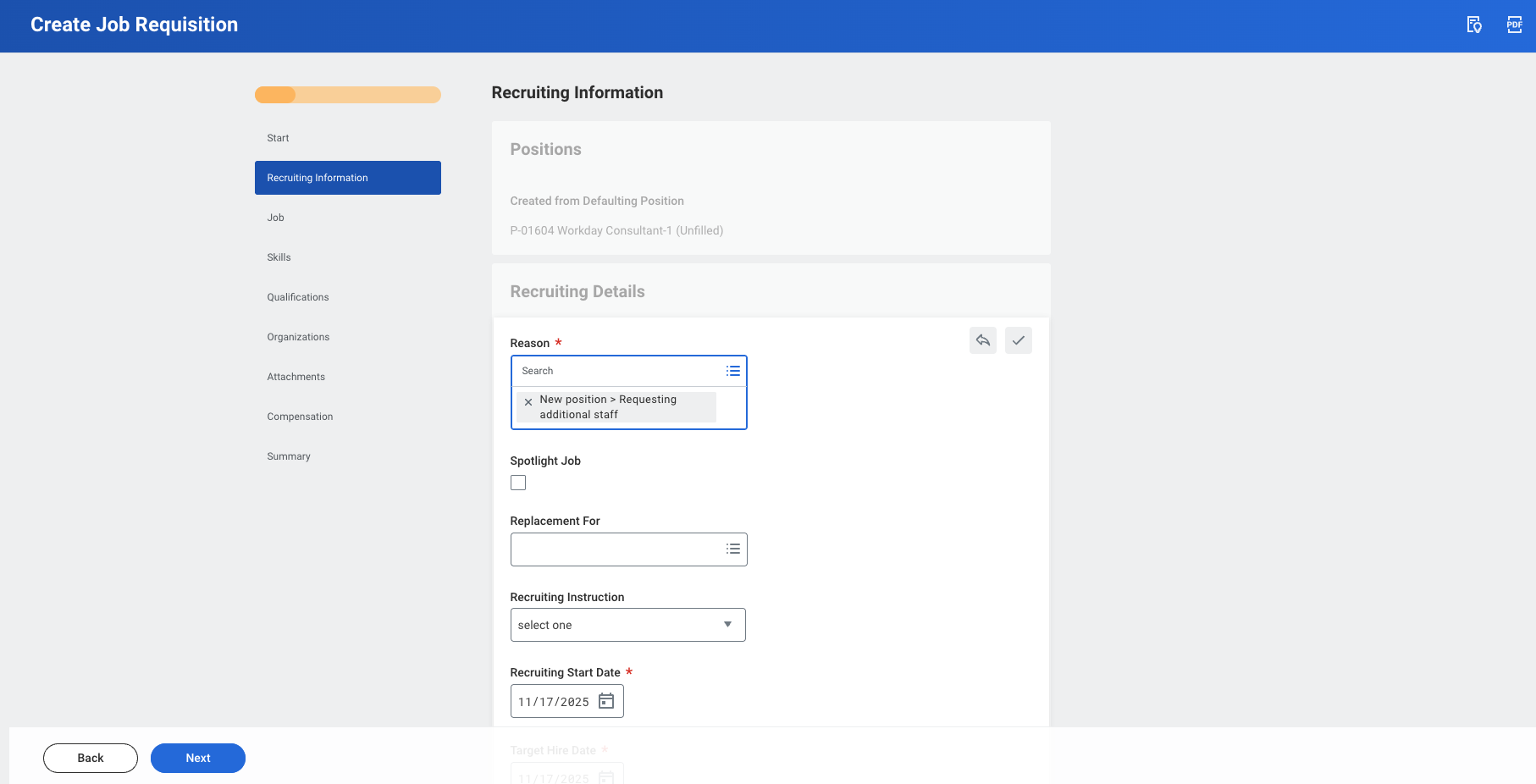
Step 7: Fill in the details as required. In the last step, review and click on Submit.
Step 8: You should see the created Job Requisition for the Position in the Staffing tab of your organization, once all the pending processes are complete.