UKG Pro – How do I connect my account?
Updated 2 weeks ago
This guide provides a step-by-step process to retrieve the Customer API Key and create a Service User in UKG Pro for completing the authorisation. It's essential to have Administrator access to the company's UKG Pro instance or have shared access.
Retrieving the UKG Pro Customer API Key
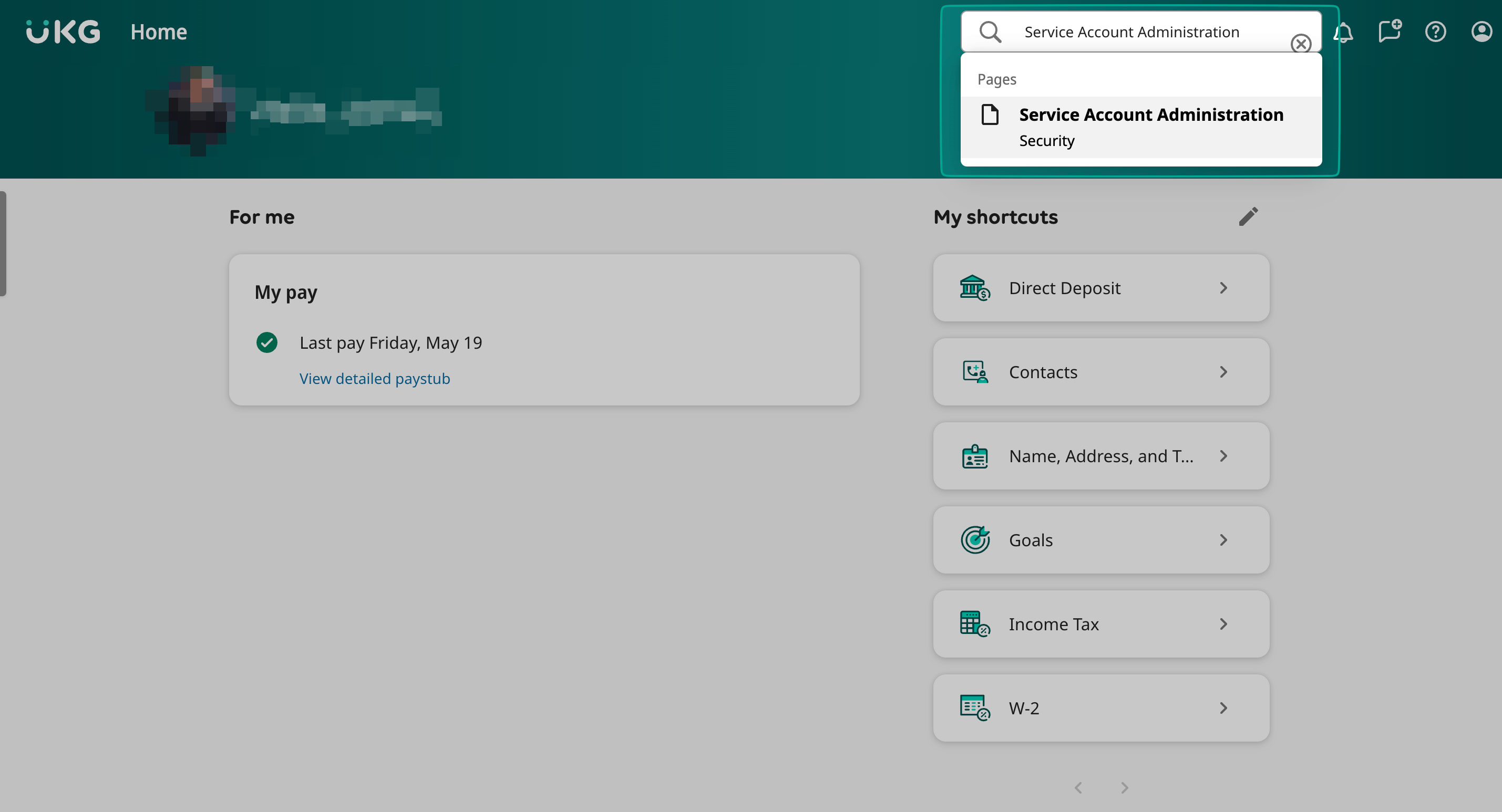
Step 1: Log into UKG Pro and search for "Service Account Administration" in the top right corner.
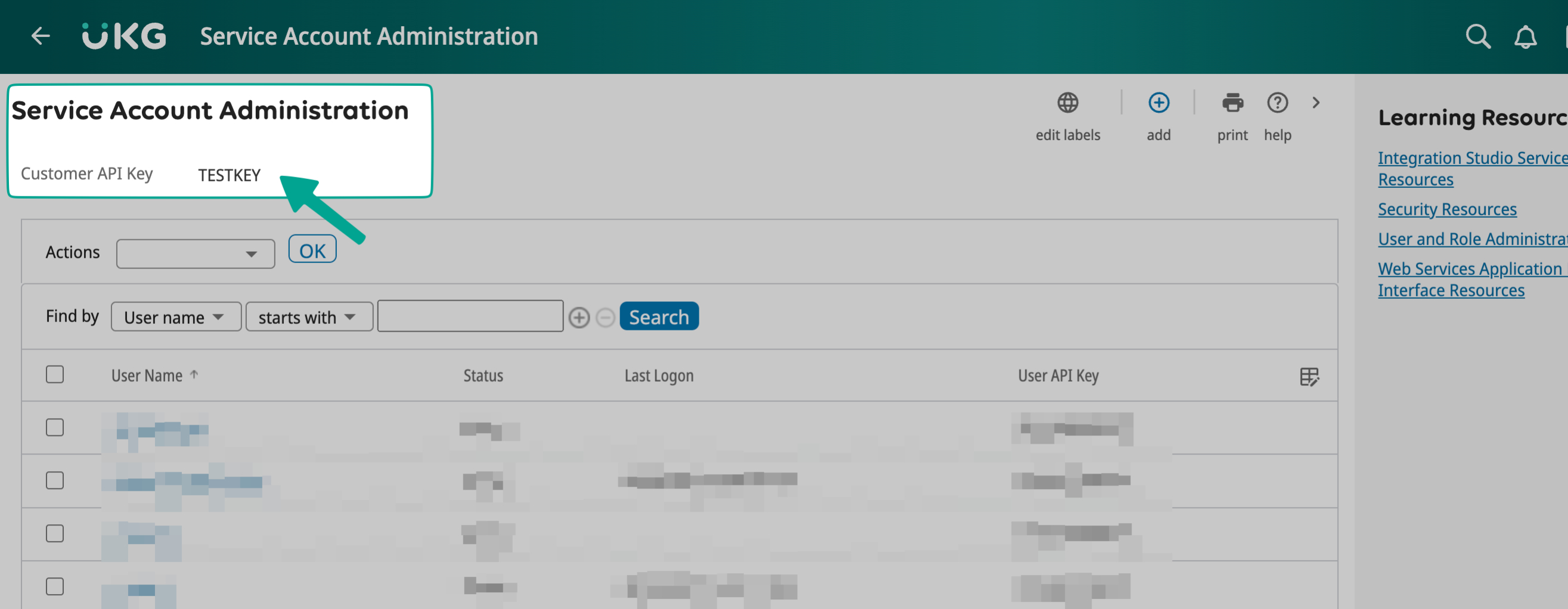
Step 2: Copy the Customer API Key located under the header.
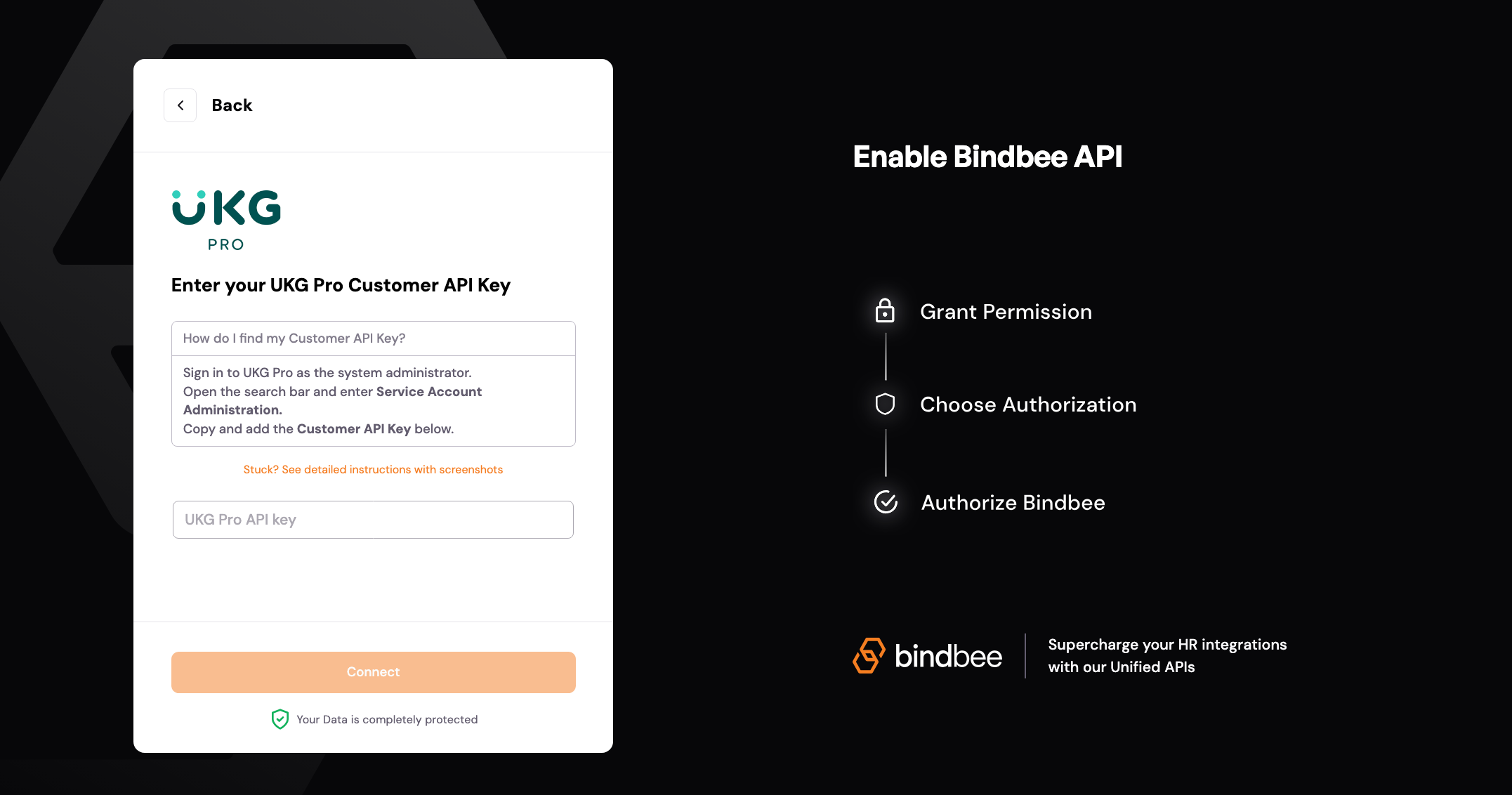
Step 3: Paste the copied Customer API Key into Bindbee Magic Link.
Creating a Service Account
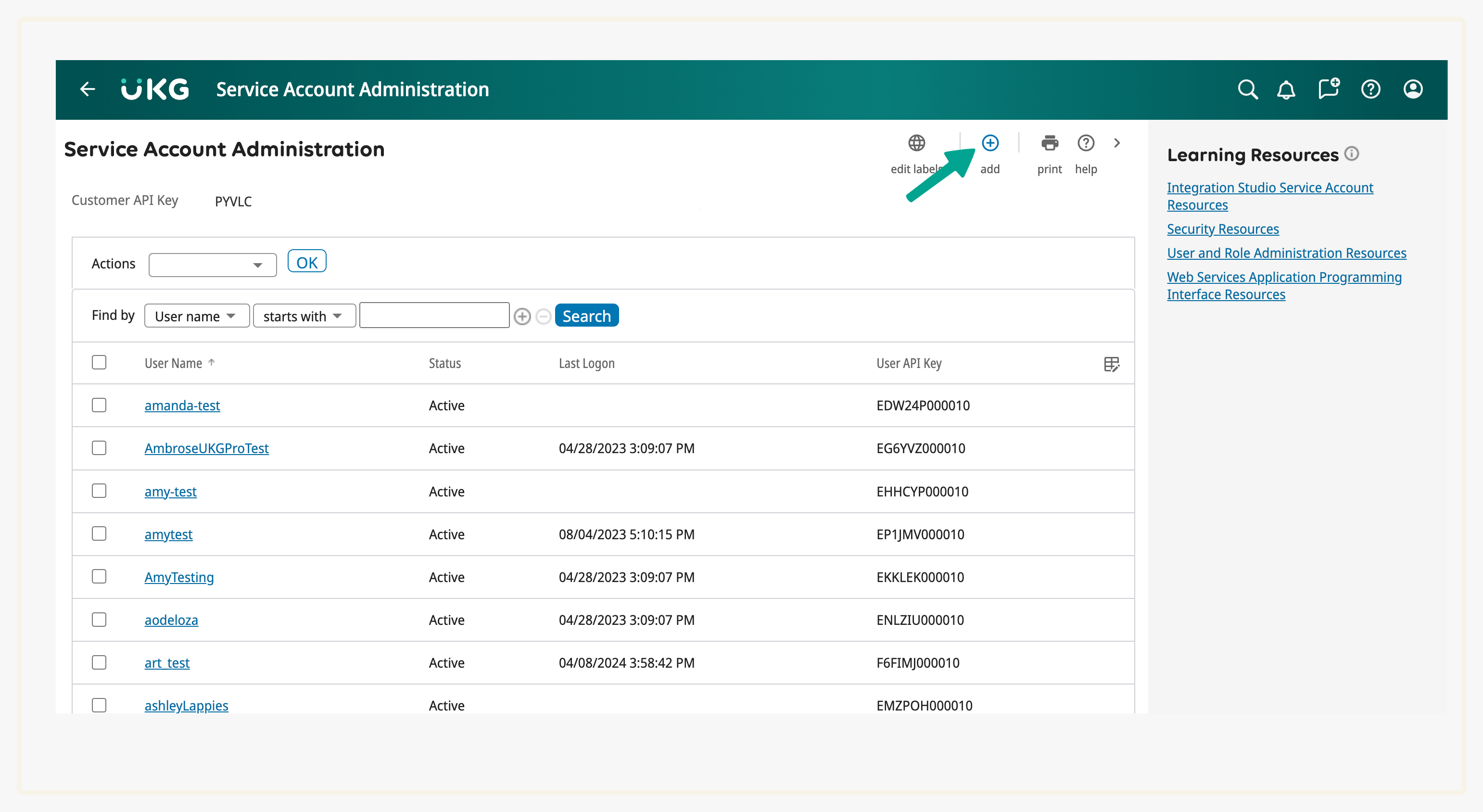
Step 4: Navigate to the Service Account Administration Page and select "+ add" in the top right corner.
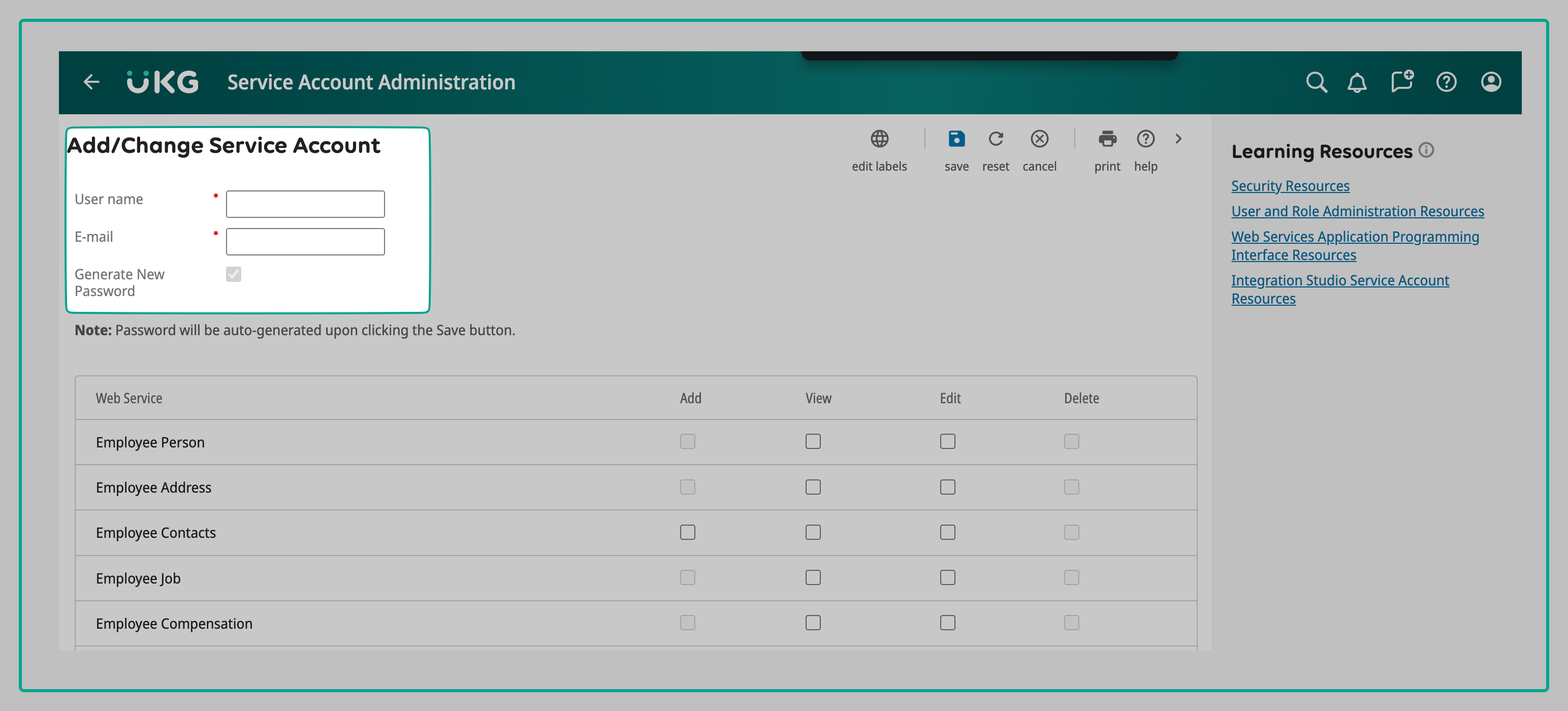
Step 5: Input the username and email of your UKG Pro Admin's account. Remember to note down the username for future use.
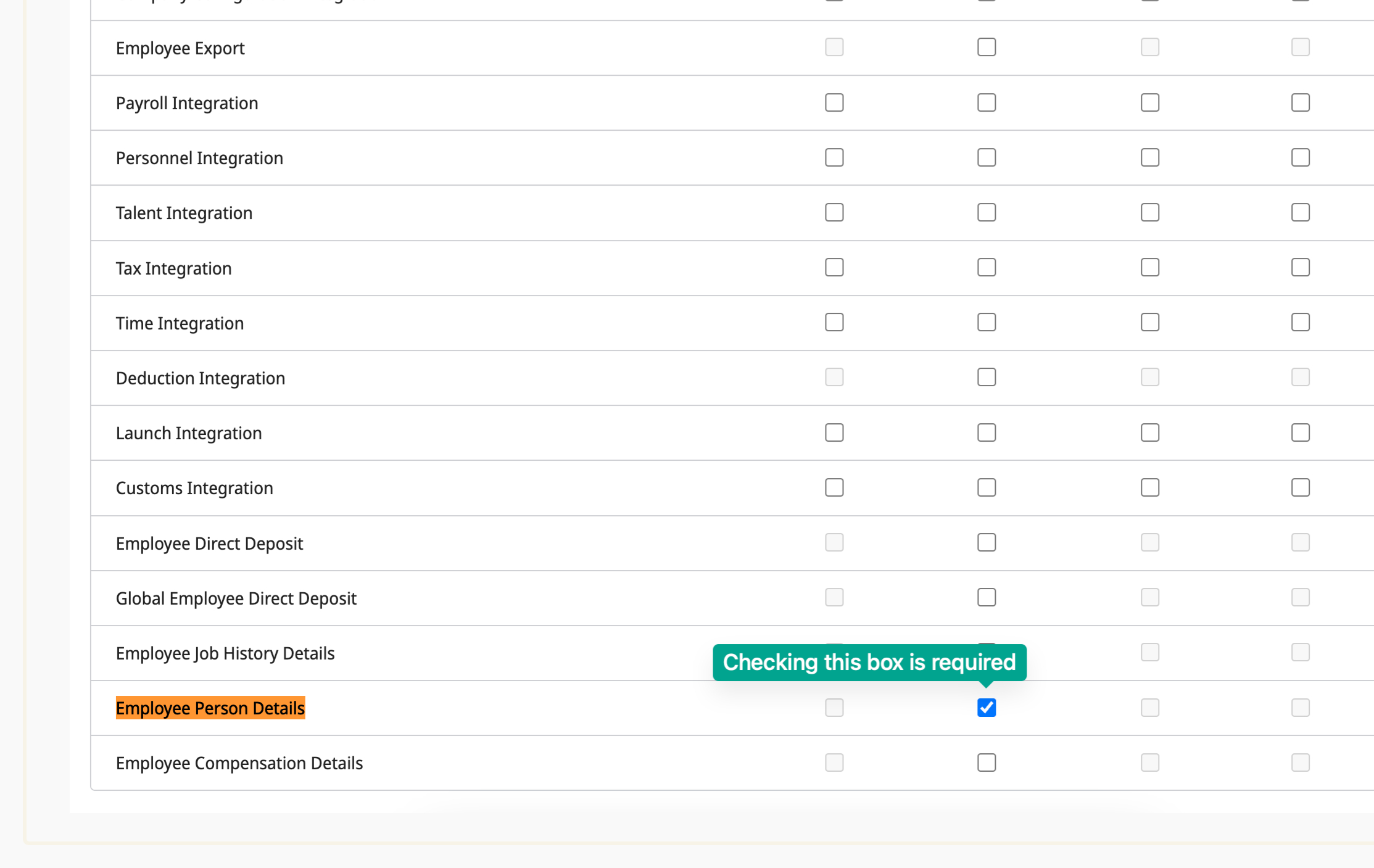
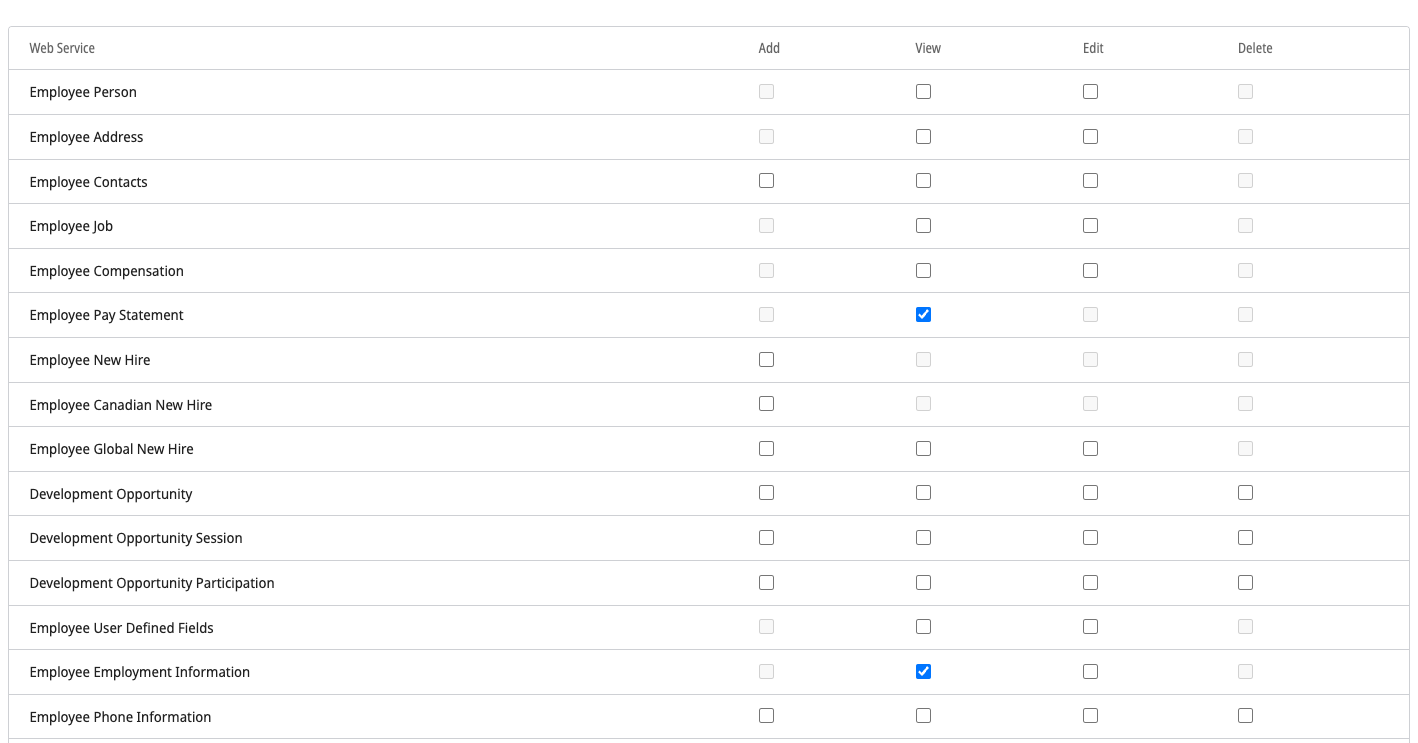
Step 6: Scroll down to the Web Service section and enable the "View Employee Person Details" option. This step is mandatory.
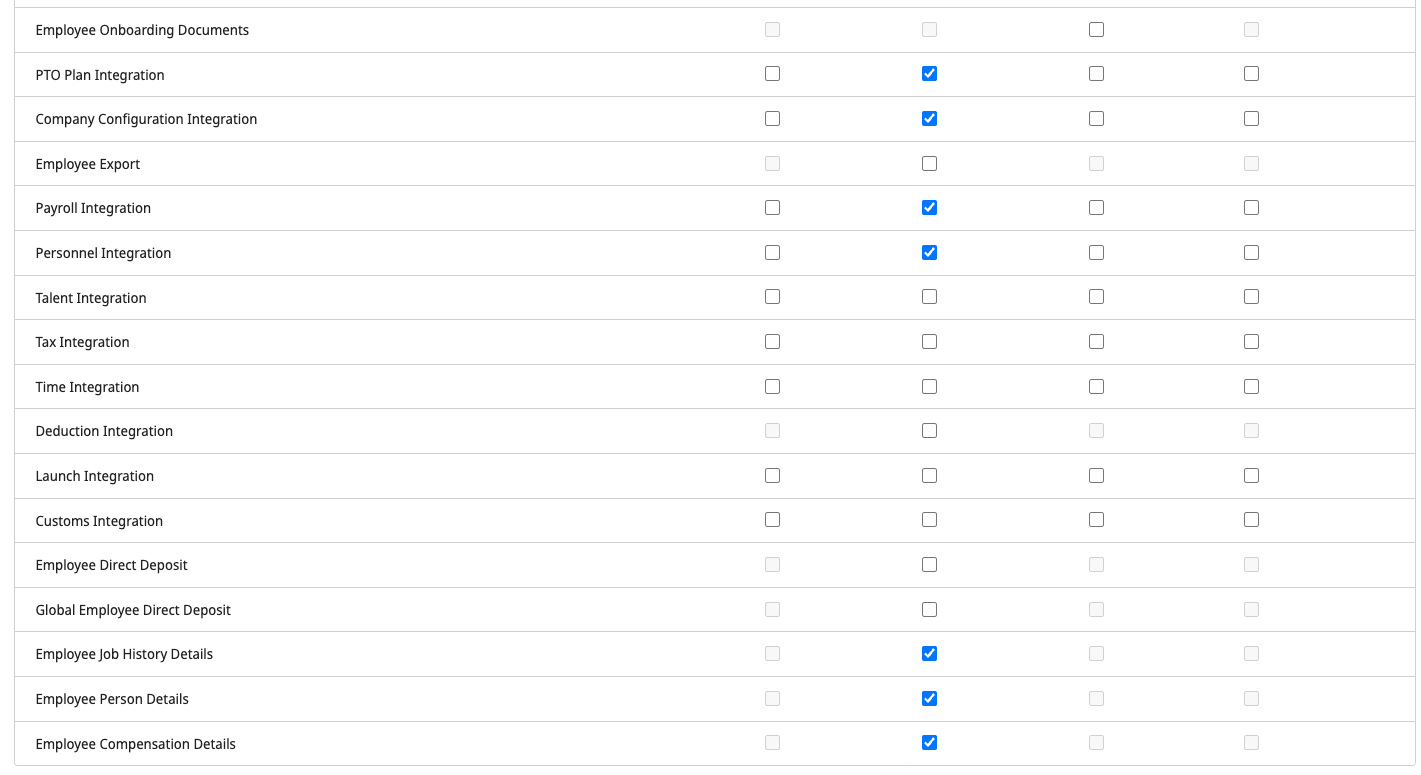
Step 7: Depending on the use case, add the necessary permissions. These may include Employee Pay Statement, Employee Employment Information, PTO Plan Integration, Company Configuration Integration, Payroll Integration, Personnel Integration, Employee Job History Details, and Employee Compensation Details.
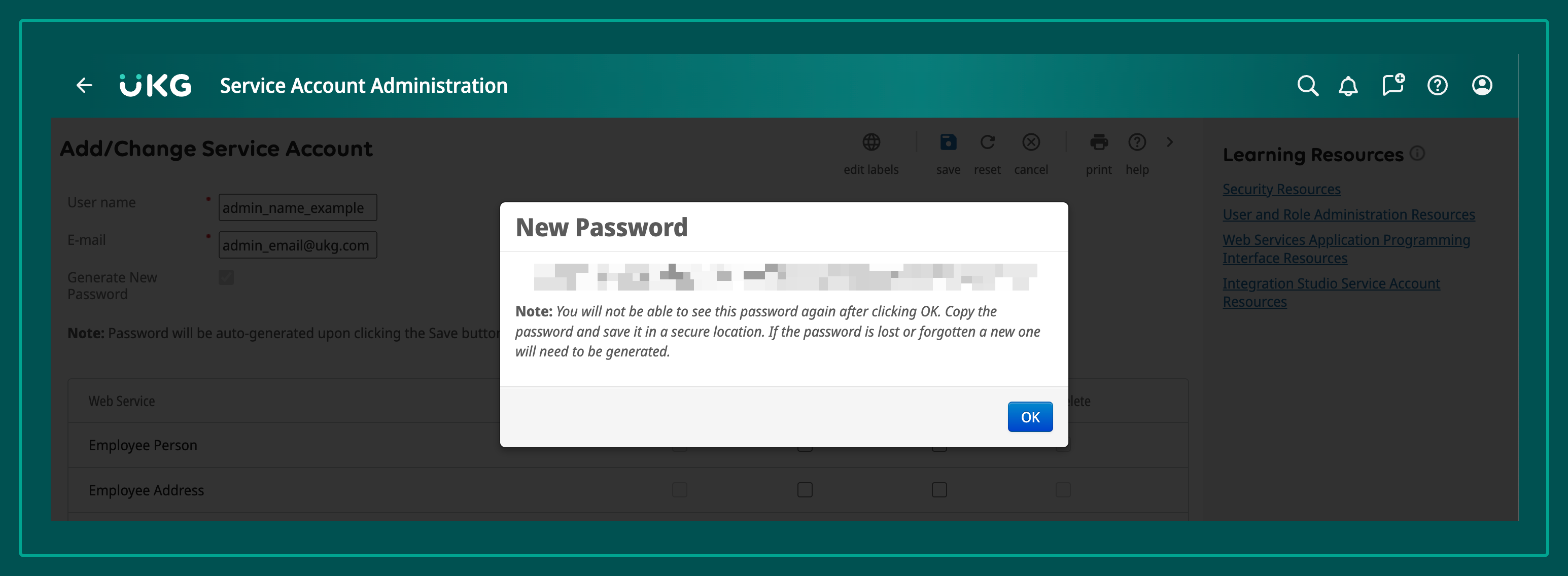
Step 8: Click on Save. A new password will appear. Store this password securely.
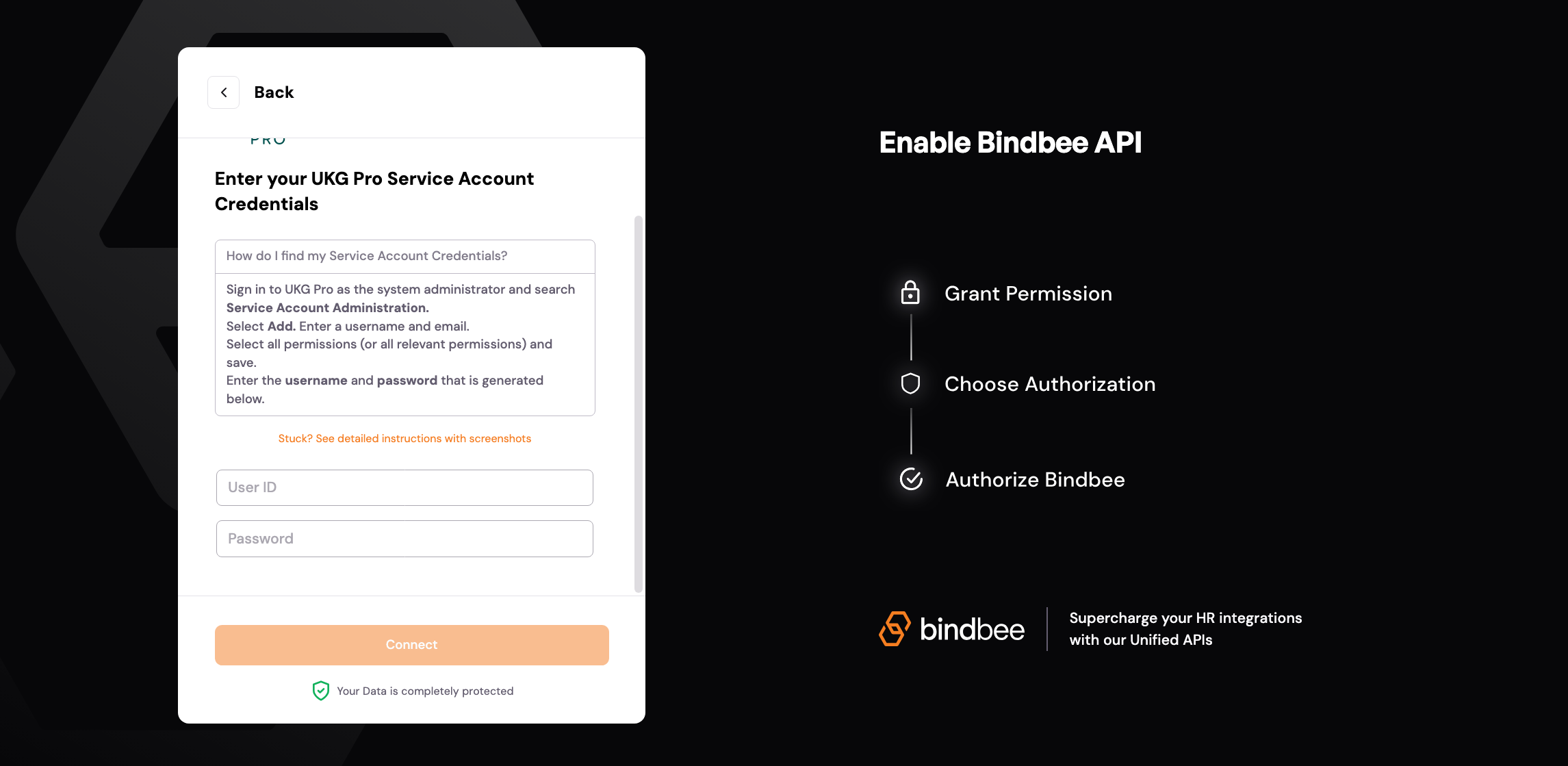
Step 9: Enter the UKG Pro service account credentials into Bindbee Magic Link and click Submit. Use the username of your admin service user and the newly generated password.
Finding the UKG Web Service Domain
Step 10: In the search bar, look for Web Services.
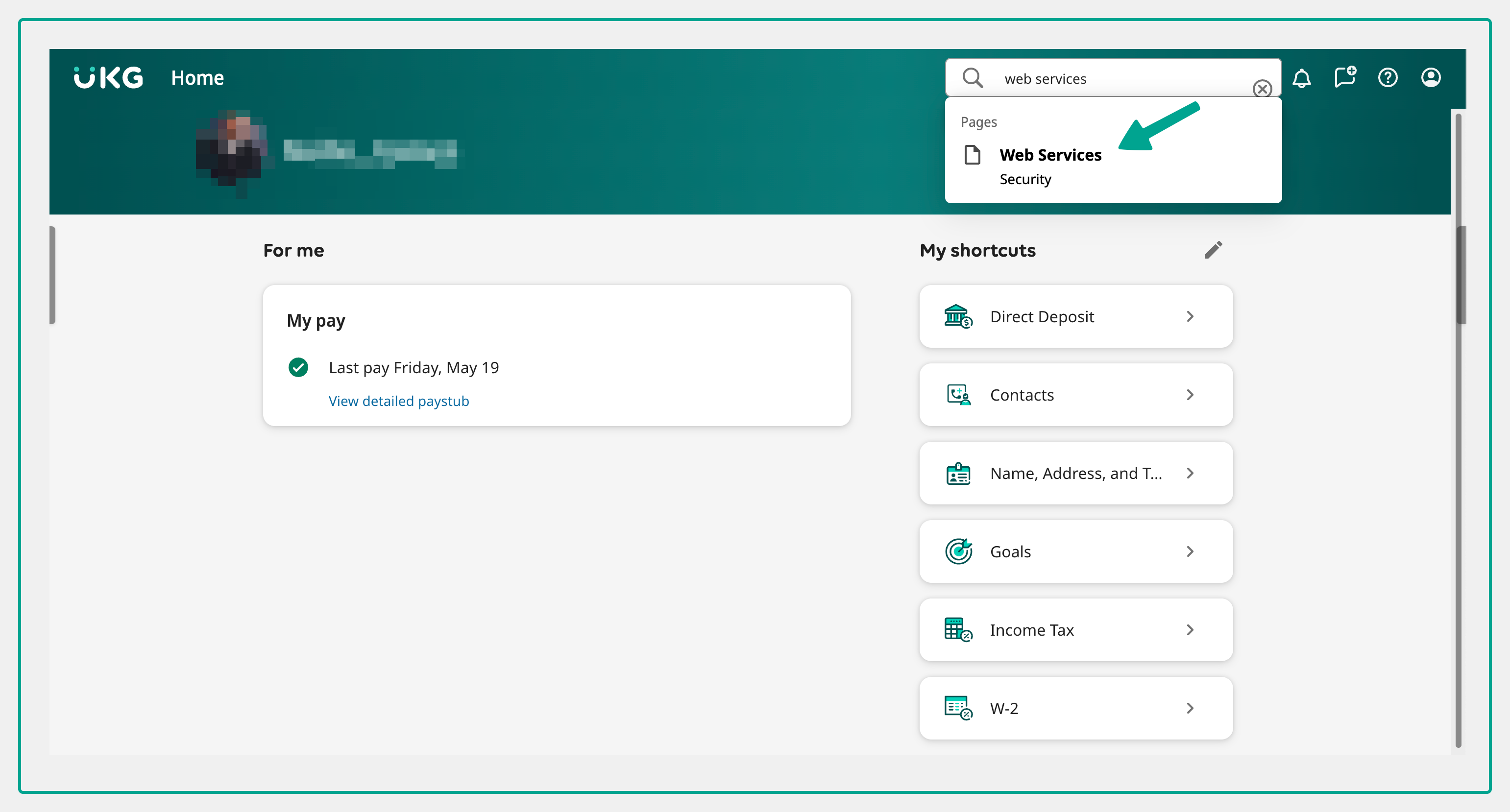
Step 11: Identify your subdomain from any of the URLs on this page. The subdomain is the text after http:// and before ".ultipro". If the URL is https://service4.ultipro.com/XXXABCS.Login, then "service4" is the subdomain. Enter the UKG Web Services URL (Part 1) into the Bindbee Magic Link step. Ensure to only enter the part after https:// and before the dot (.).
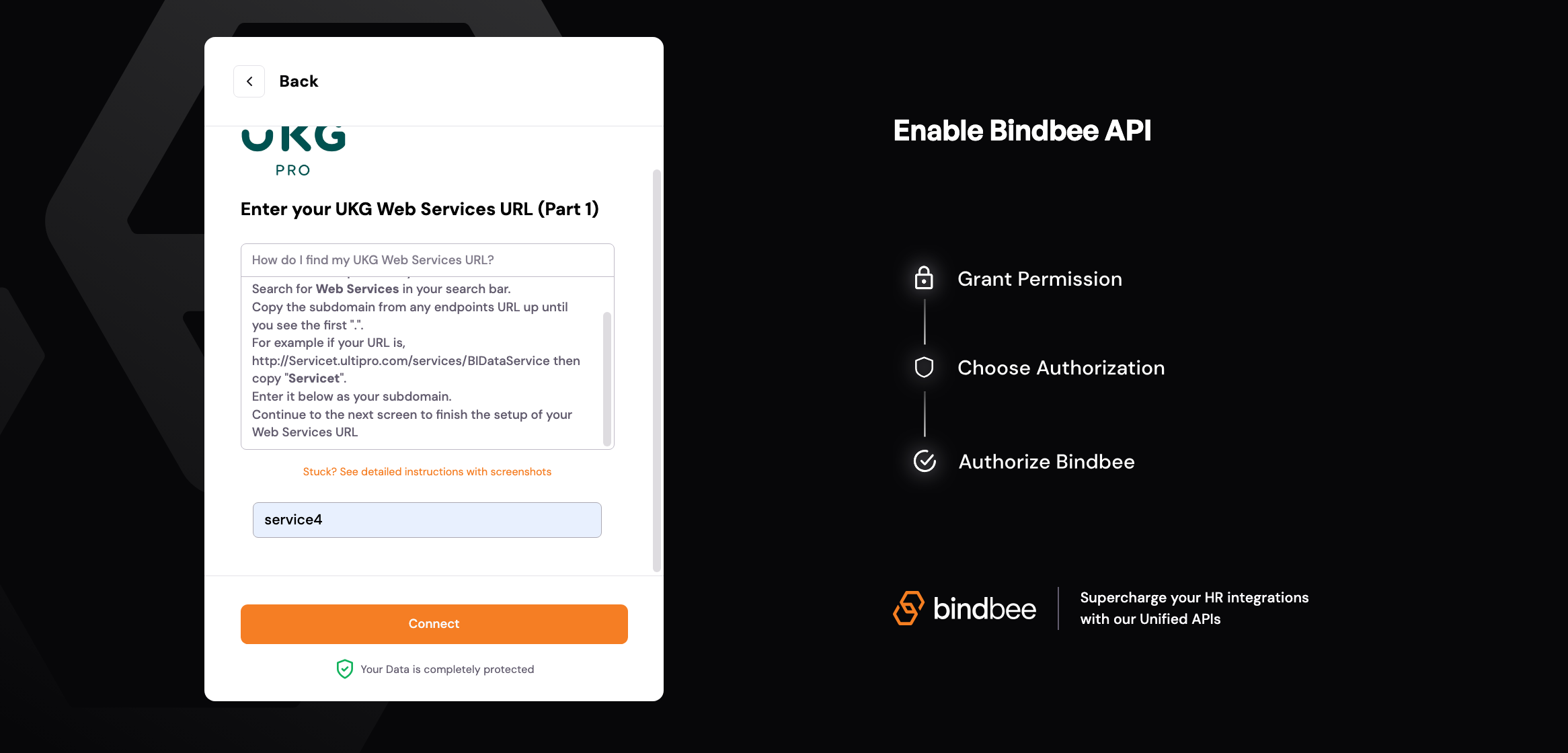
Step 12: Identify your top-level domain. For instance, if the URL is https://service4.ultipro.com/XXXABCS.Login, then the top-level domain is "ultipro.com".
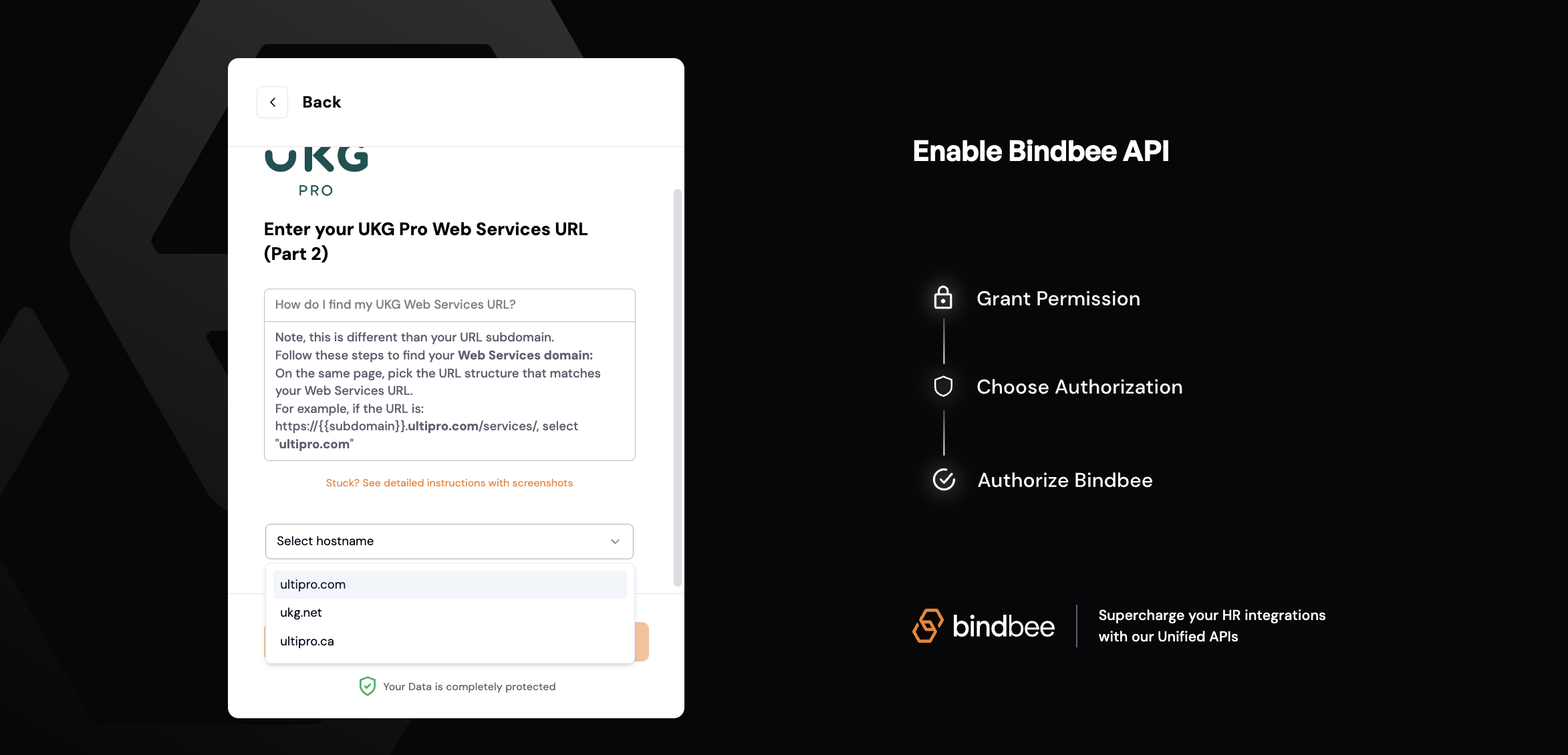
After completing these steps, the screen should resemble the following: