Greenhouse – How do I connect my account?
Updated today
Connecting to Greenhouse and writing a candidate
Pre-requisite : You will need an Admin Access to greenhouse dashboard
Greenhouse retired Harvest v1 and v2 API keys on August 31, 2026. Greenhouse now connects only with Harvest v3 OAuth credentials (a Client ID and Client Secret).
Start by opening the magic link and click Allow and Continue. You are asked for your Greenhouse Client ID and Client Secret.
Getting the Greenhouse Harvest v3 OAuth credentials
Step 1: Log in to your Greenhouse tenant and open Settings / Configure.
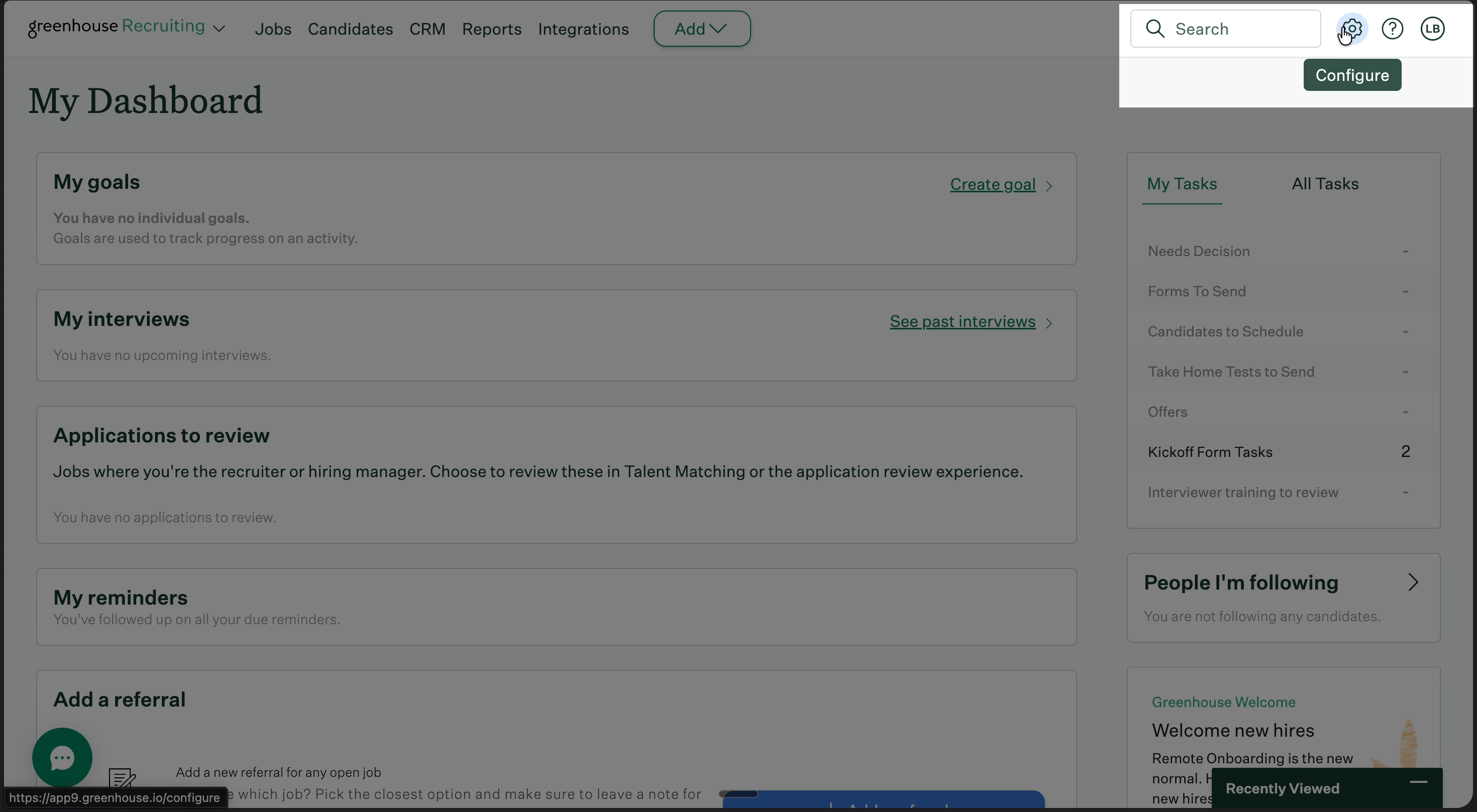
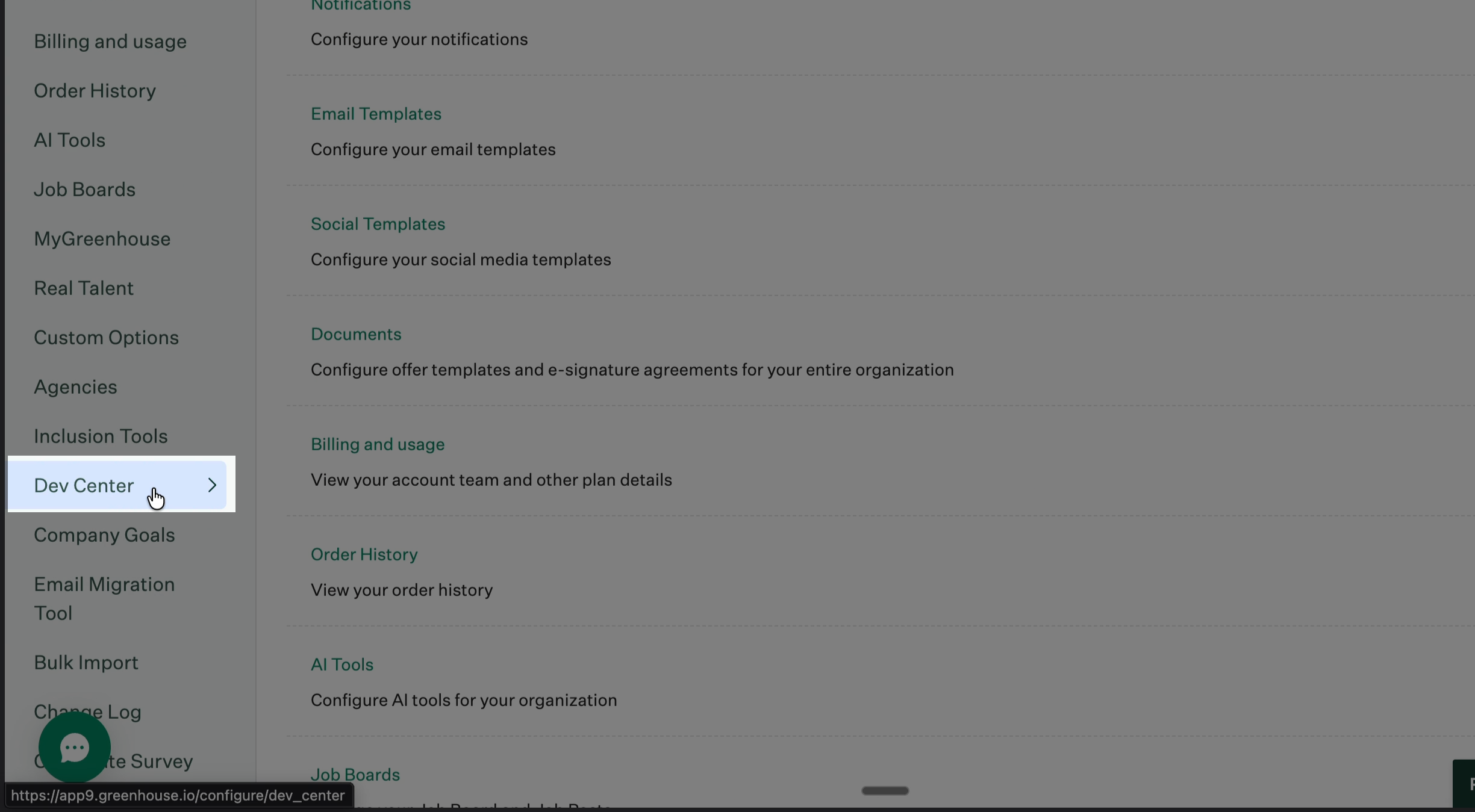
Step 2: From the navigation menu, scroll down and select Dev Center.
Step 3: Click API Credential Management.
Step 4: Under Harvest v3 OAuth, click Create New API Credentials.
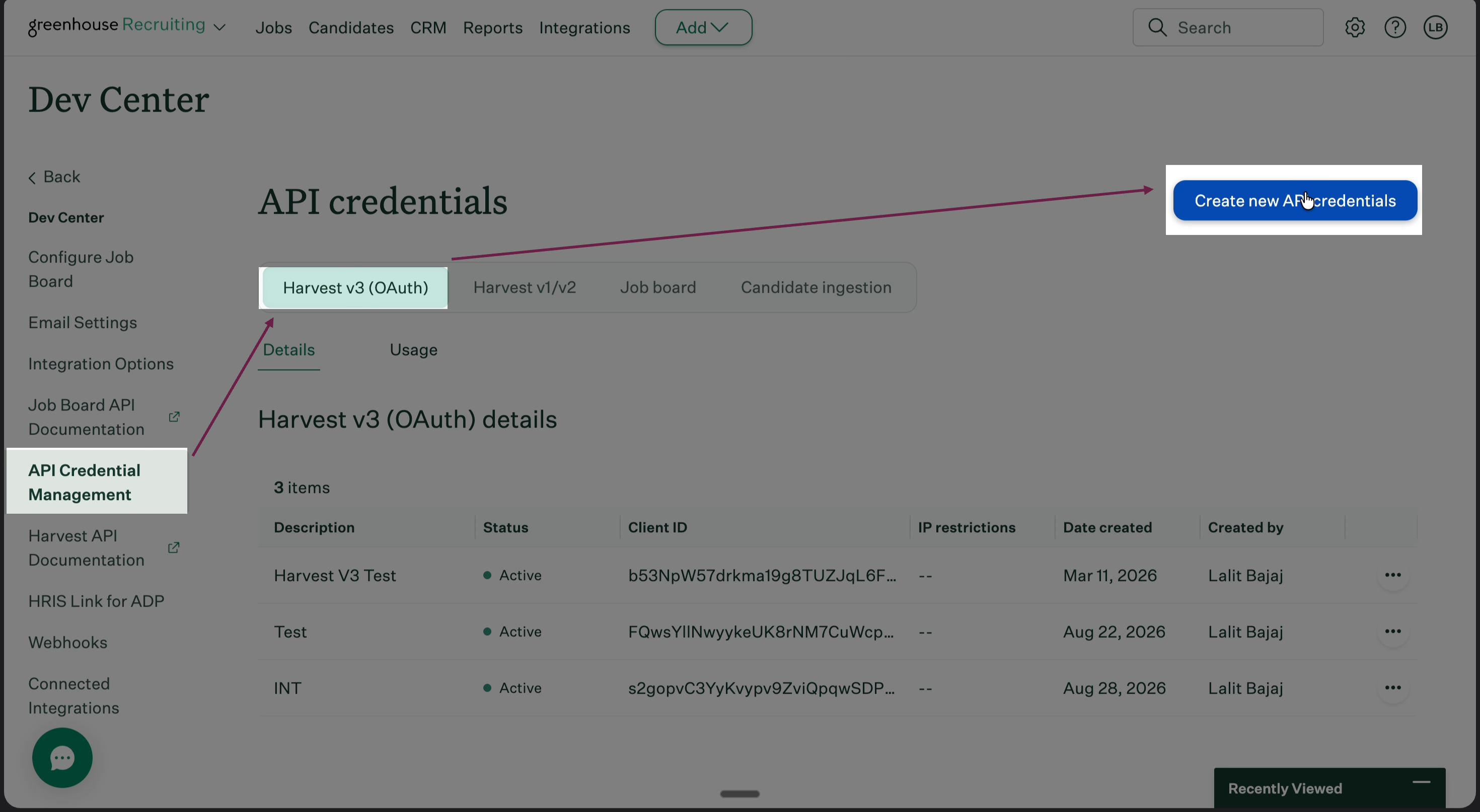
Step 5: For API Type, select Harvest v3 OAuth.
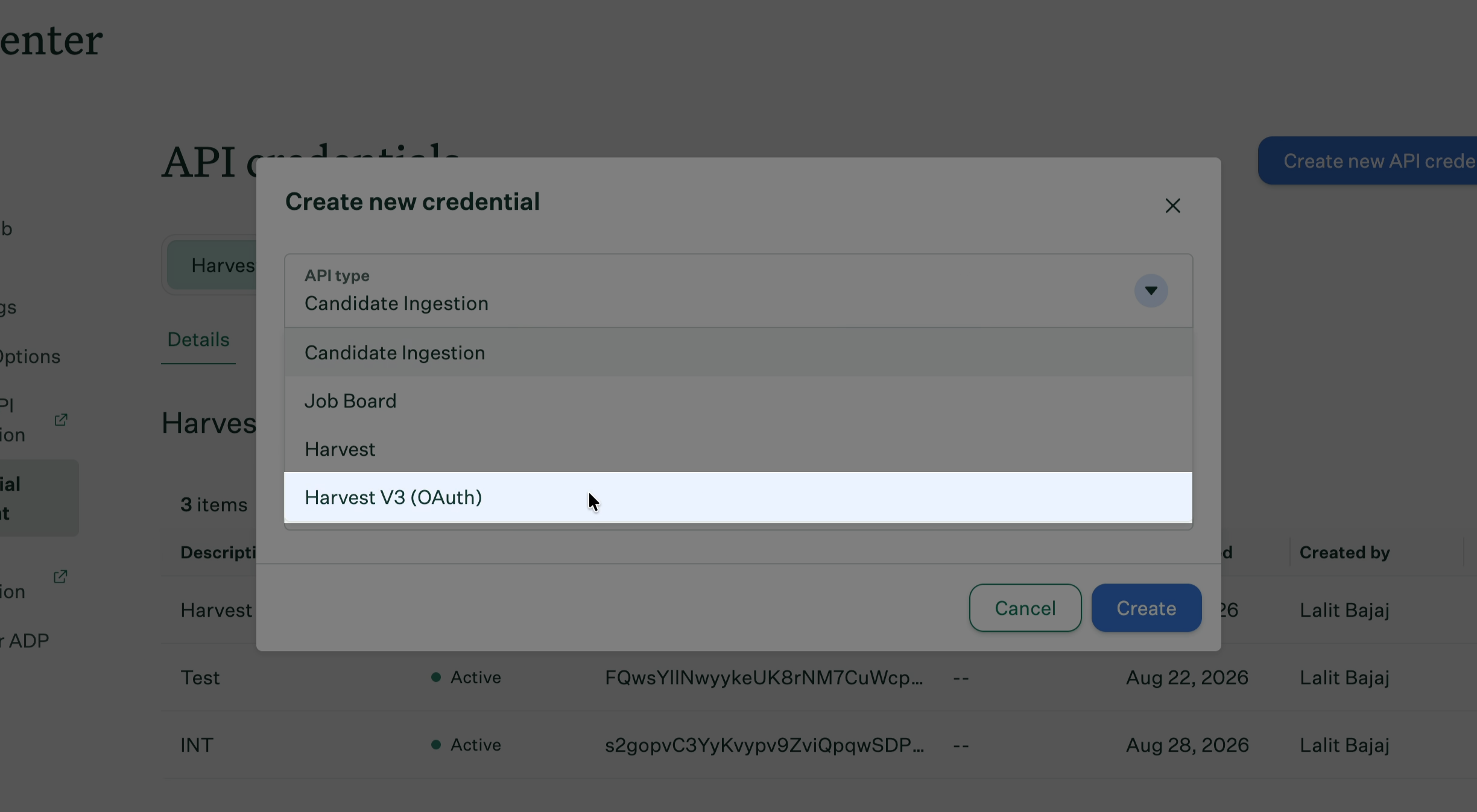
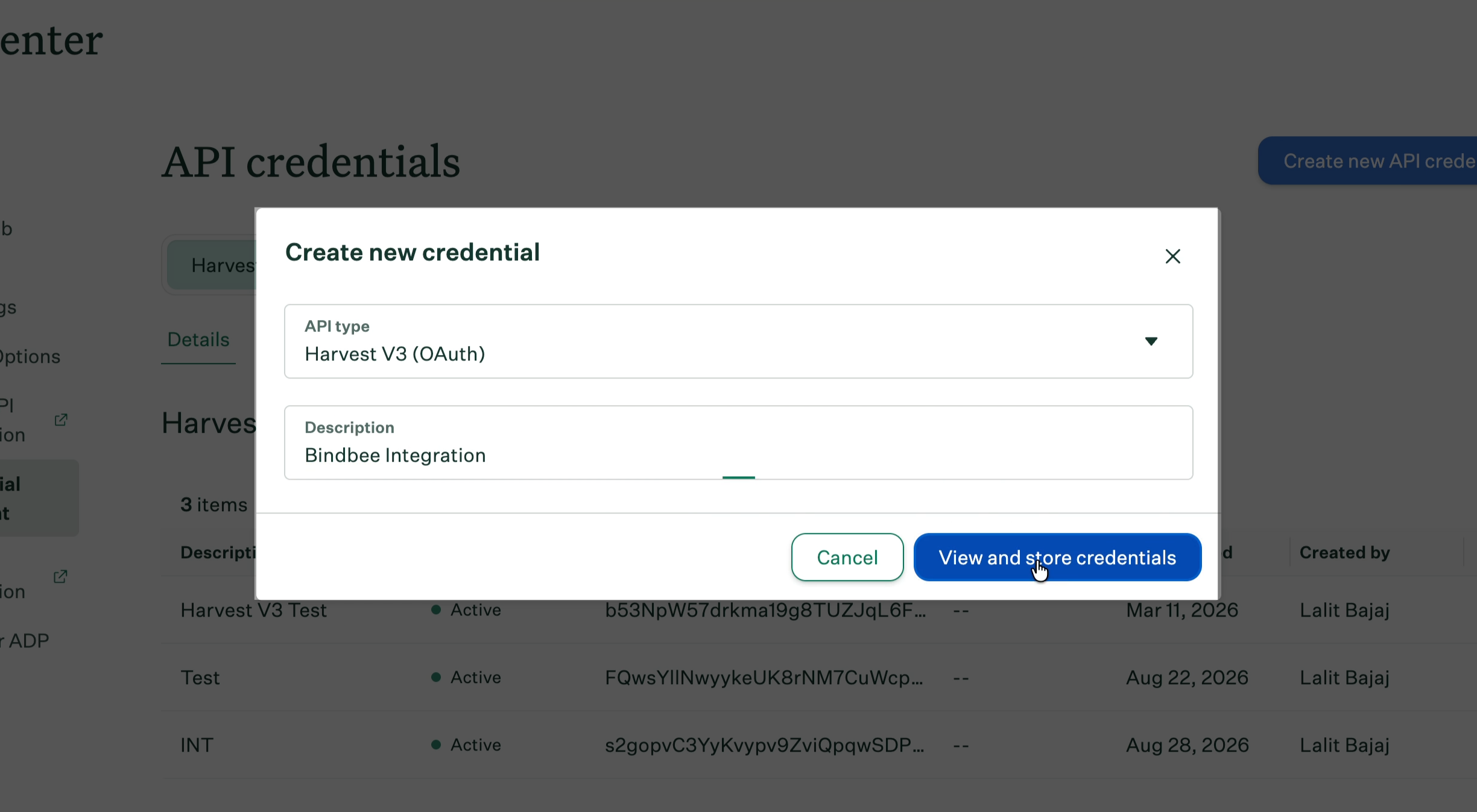
Step 6: Enter a short description to identify the credentials later, such as Bindbee Integration, then click View and store credentials.
Step 7: Copy the Client ID and Client Secret and store them securely, then click I have stored the client credentials.
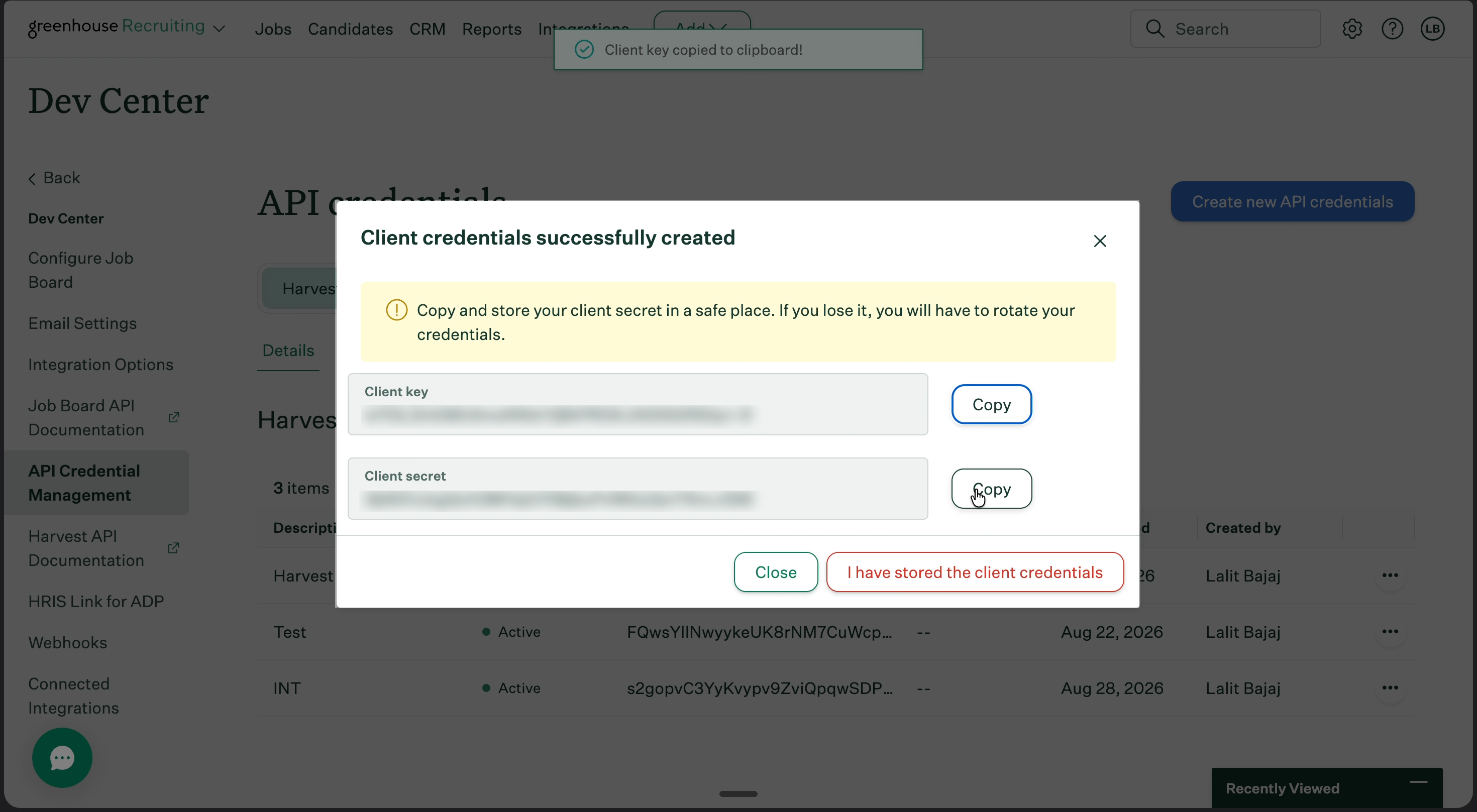
Greenhouse shows the Client Secret only once. Save it before you click I have stored the client credentials.
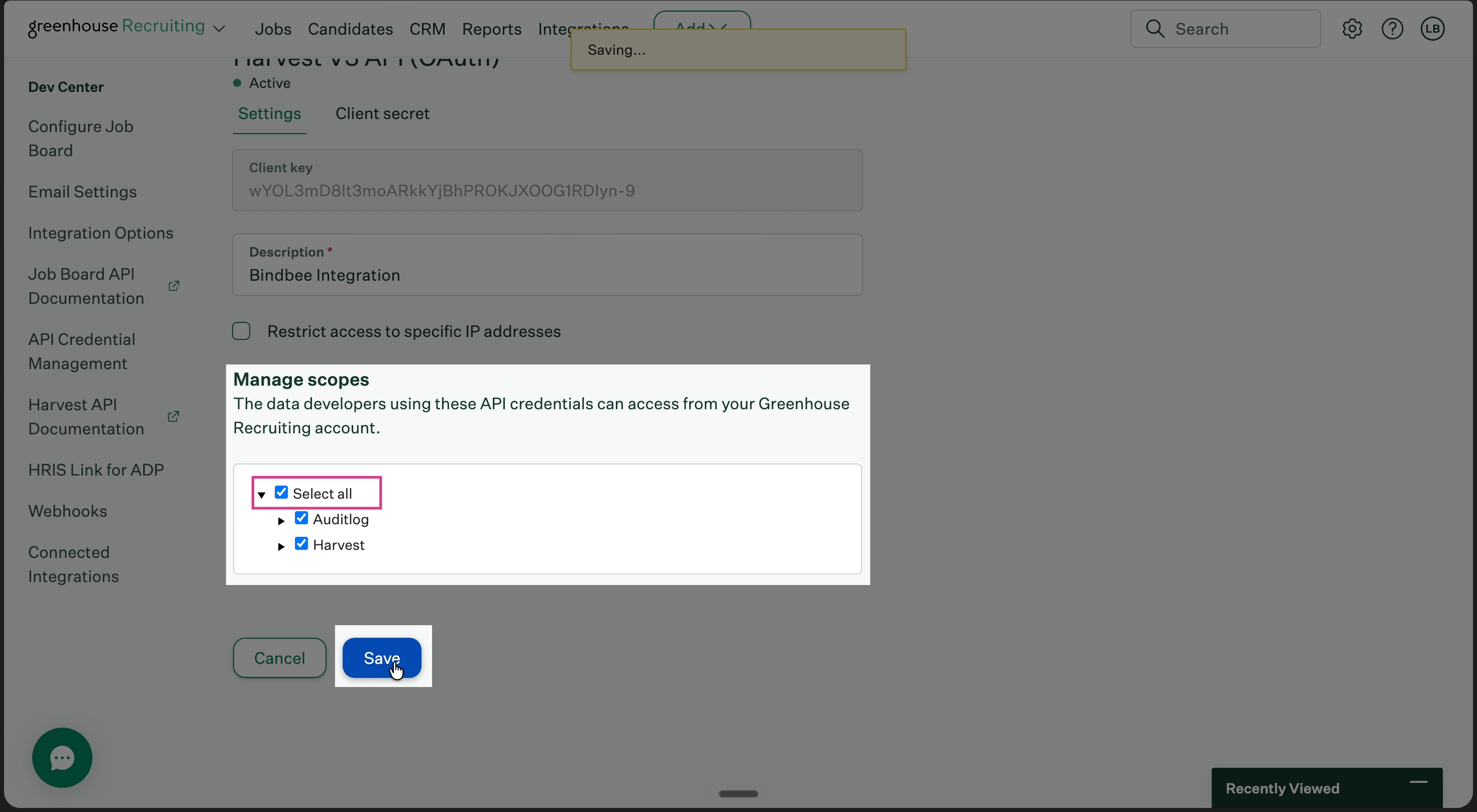
Step 8: Under Manage scopes, click Select All, then click Save.
Step 9: Return to the Bindbee magic link, enter the Client ID and Client Secret, and click Connect.