Search for an Employee in Custom Fields
2 min
Quickly find and map employee data in custom fields using Bindbee. This guide shows how to use the employee search feature, review raw data, and select the right field for mapping - all directly from the Bindbee dashboard.
Steps
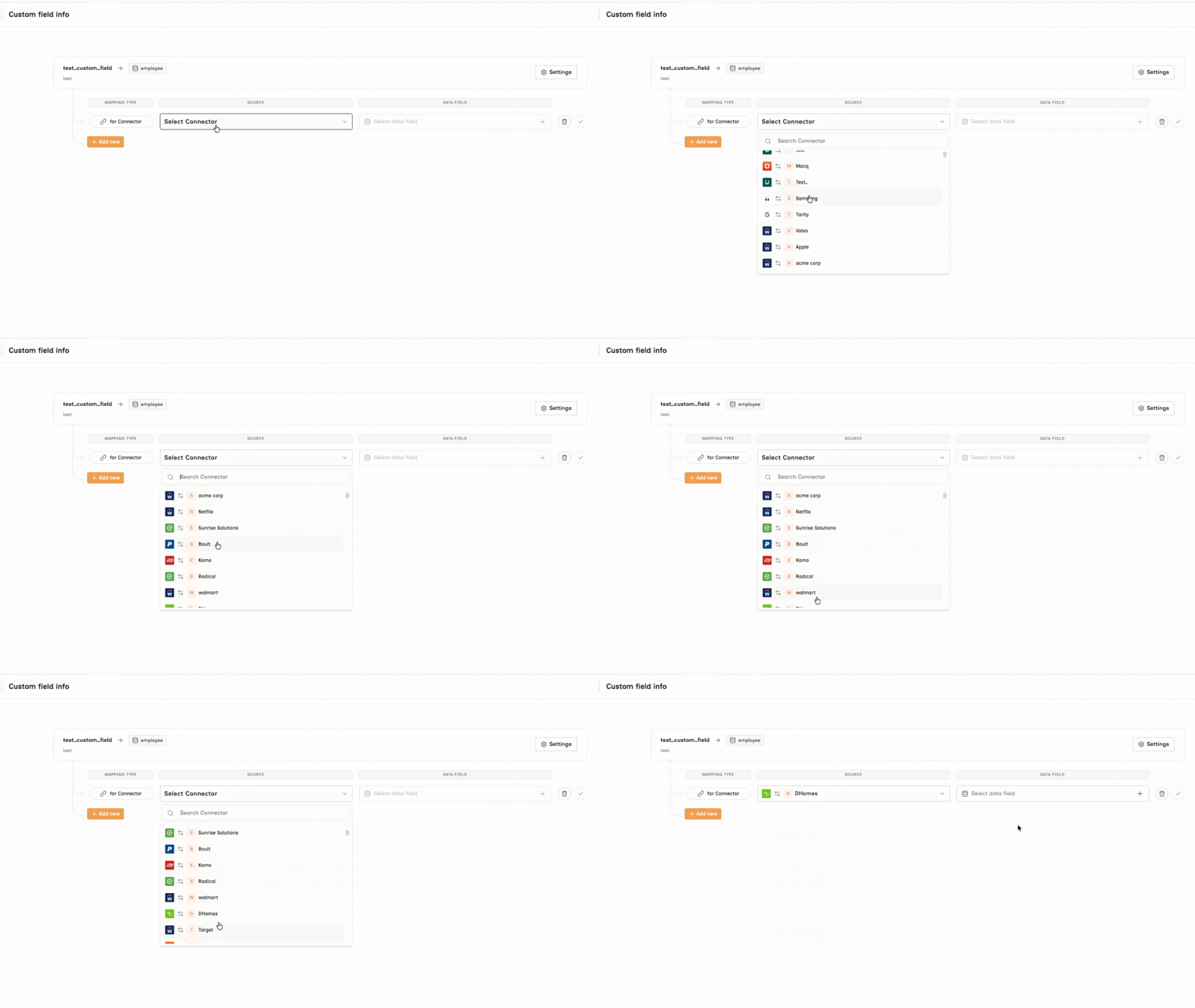
Step 1: Select the connector you want to configure.
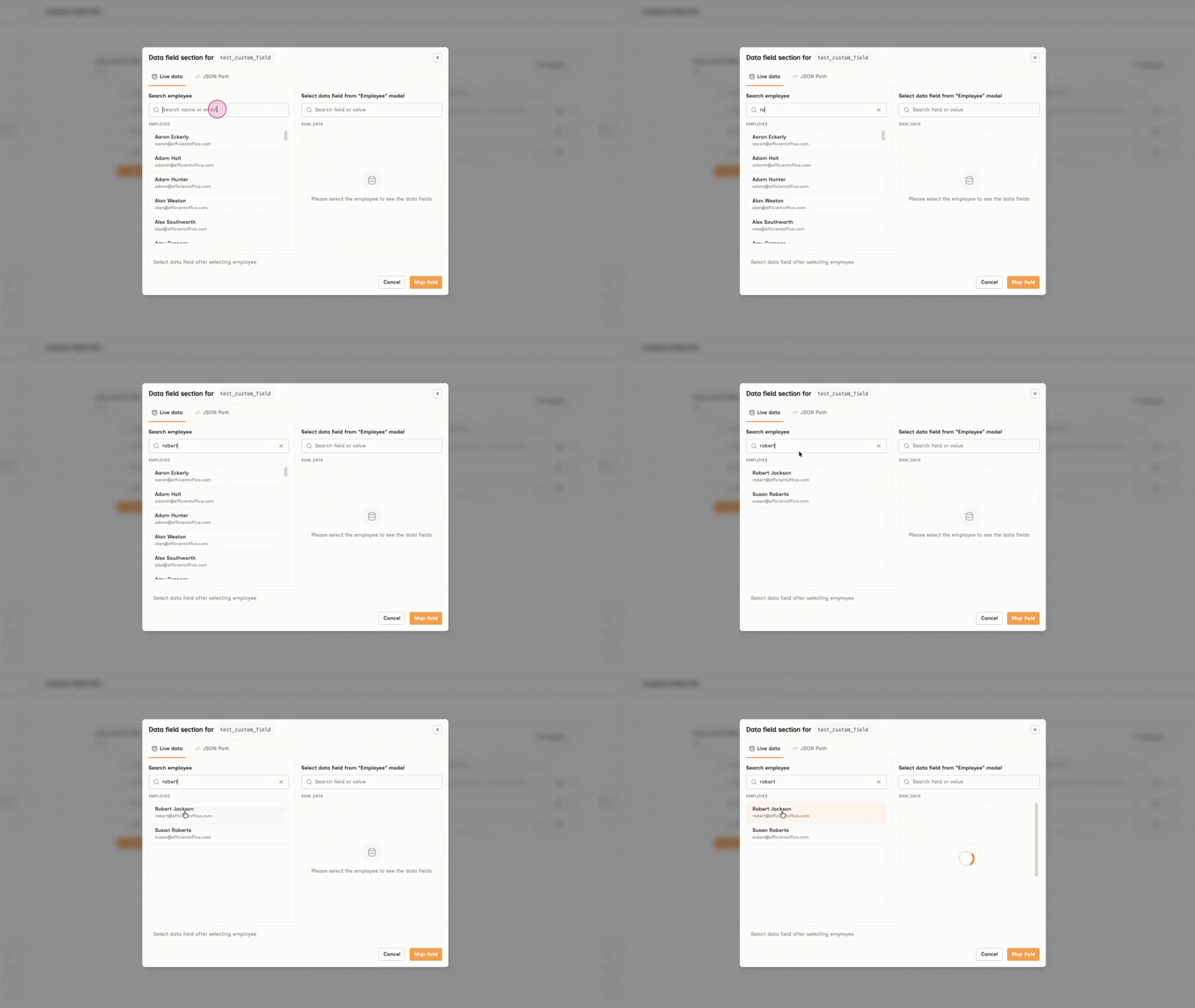
Step 2: In the modal, navigate to the Search Employee panel. Enter the employee’s name or email address to quickly find the required record.
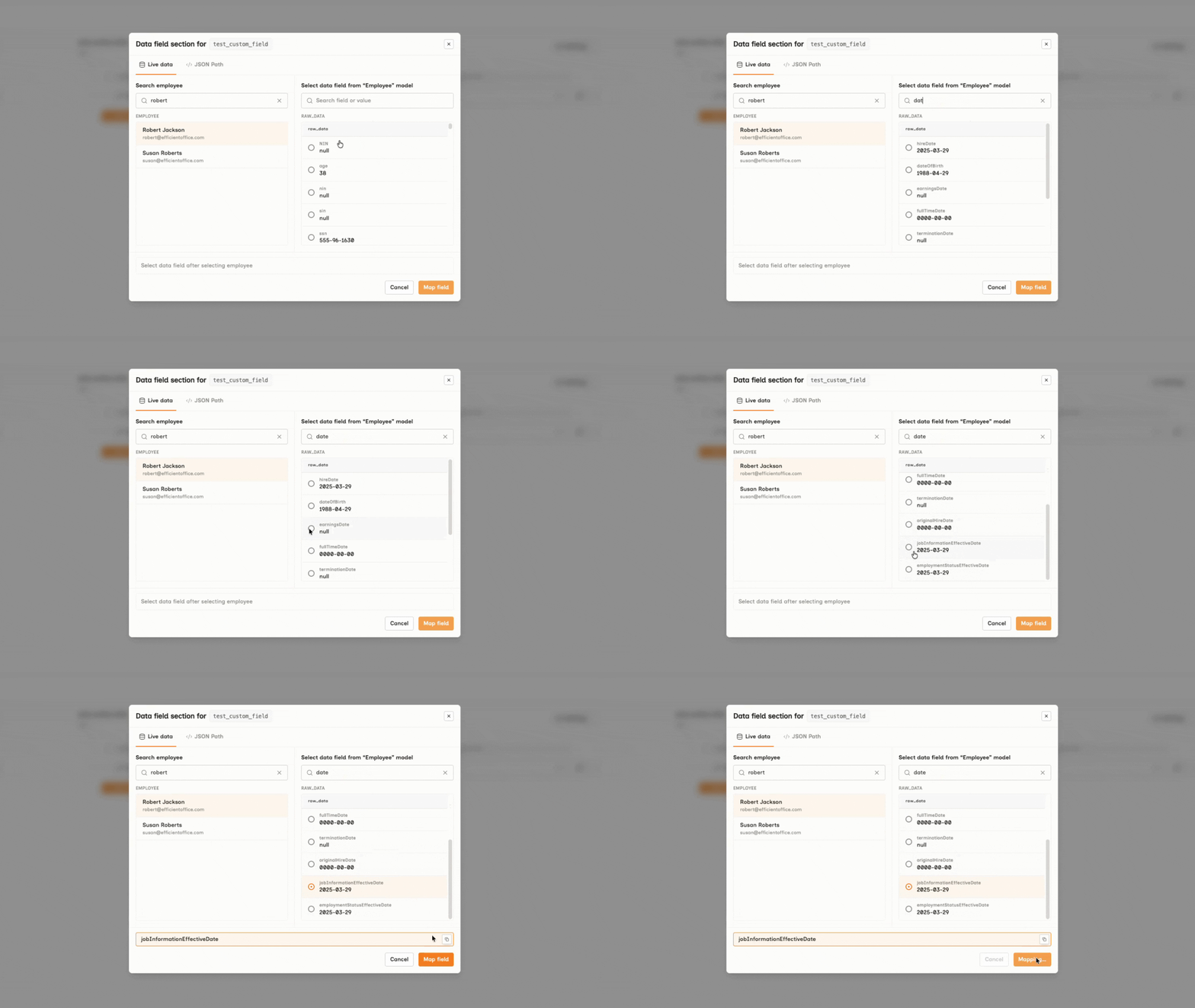
Step 3: Review the raw employee data and pick the exact data field you'd like to map. And click Map field to save your selection.
For further support, contact us at [email protected]!