Connecteam
3 min
This guide provides a step-by-step tutorial on how to set up a connection with Connecteam.
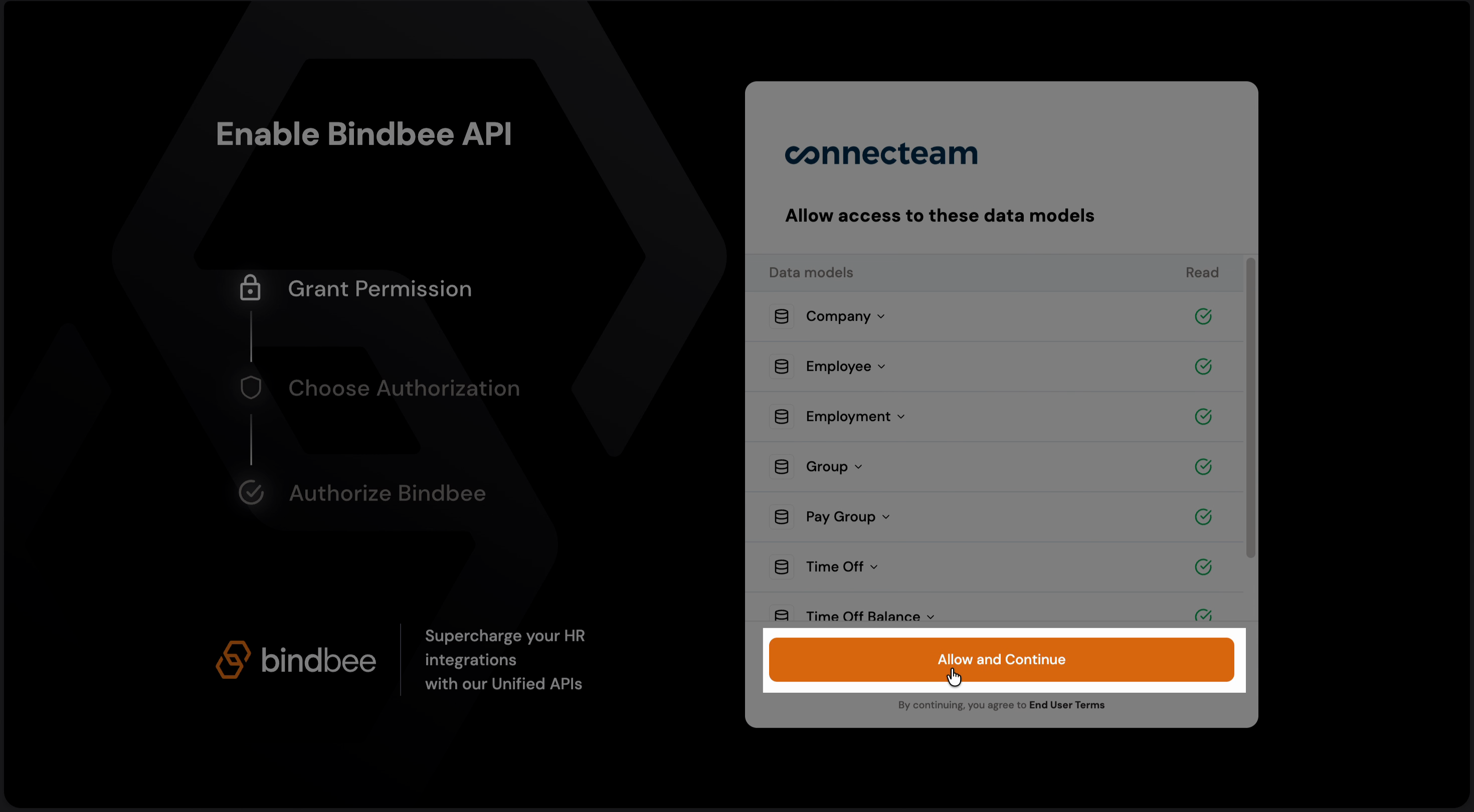
Step 1: Open the Magic Link in your browser and select Allow and continue to proceed.
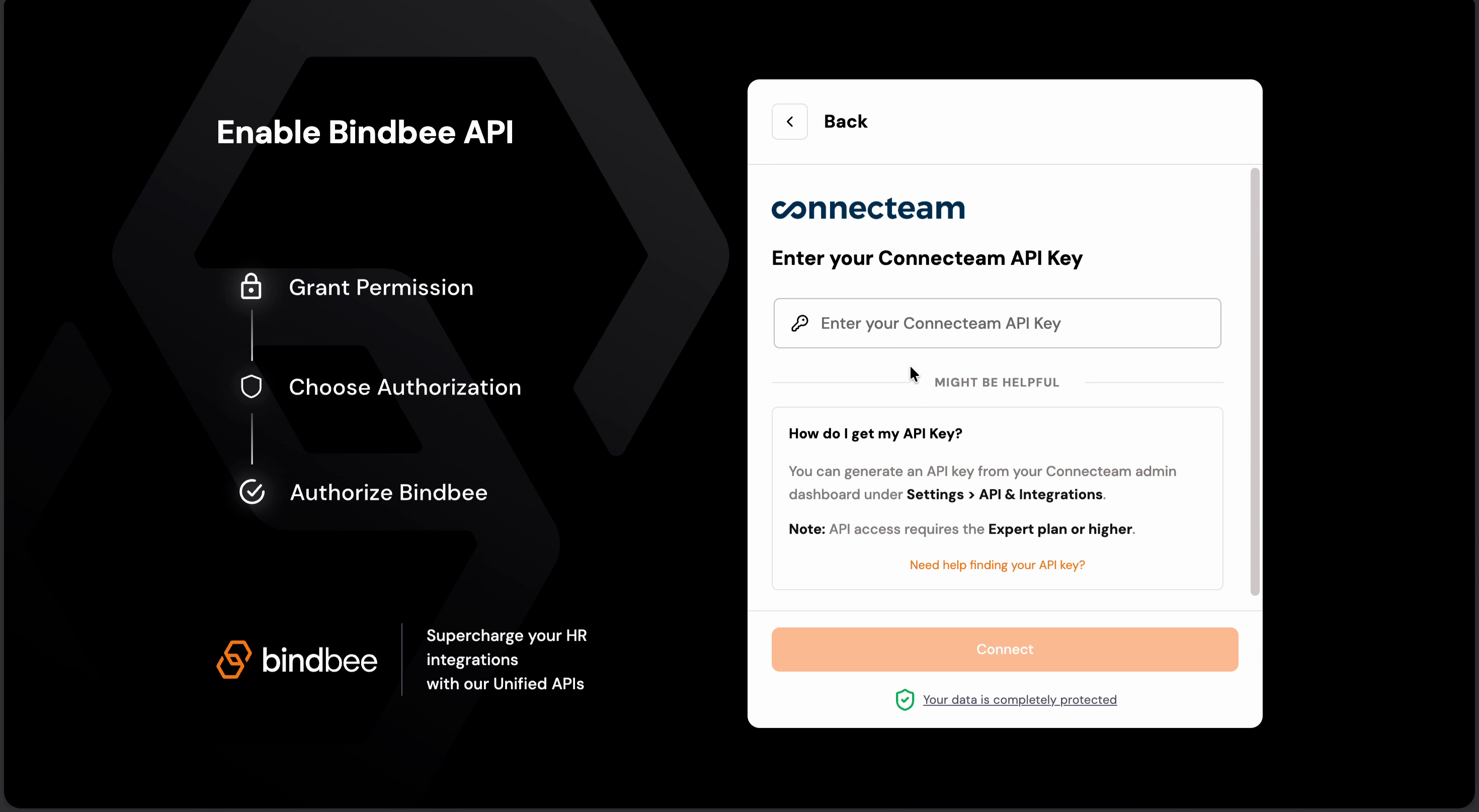
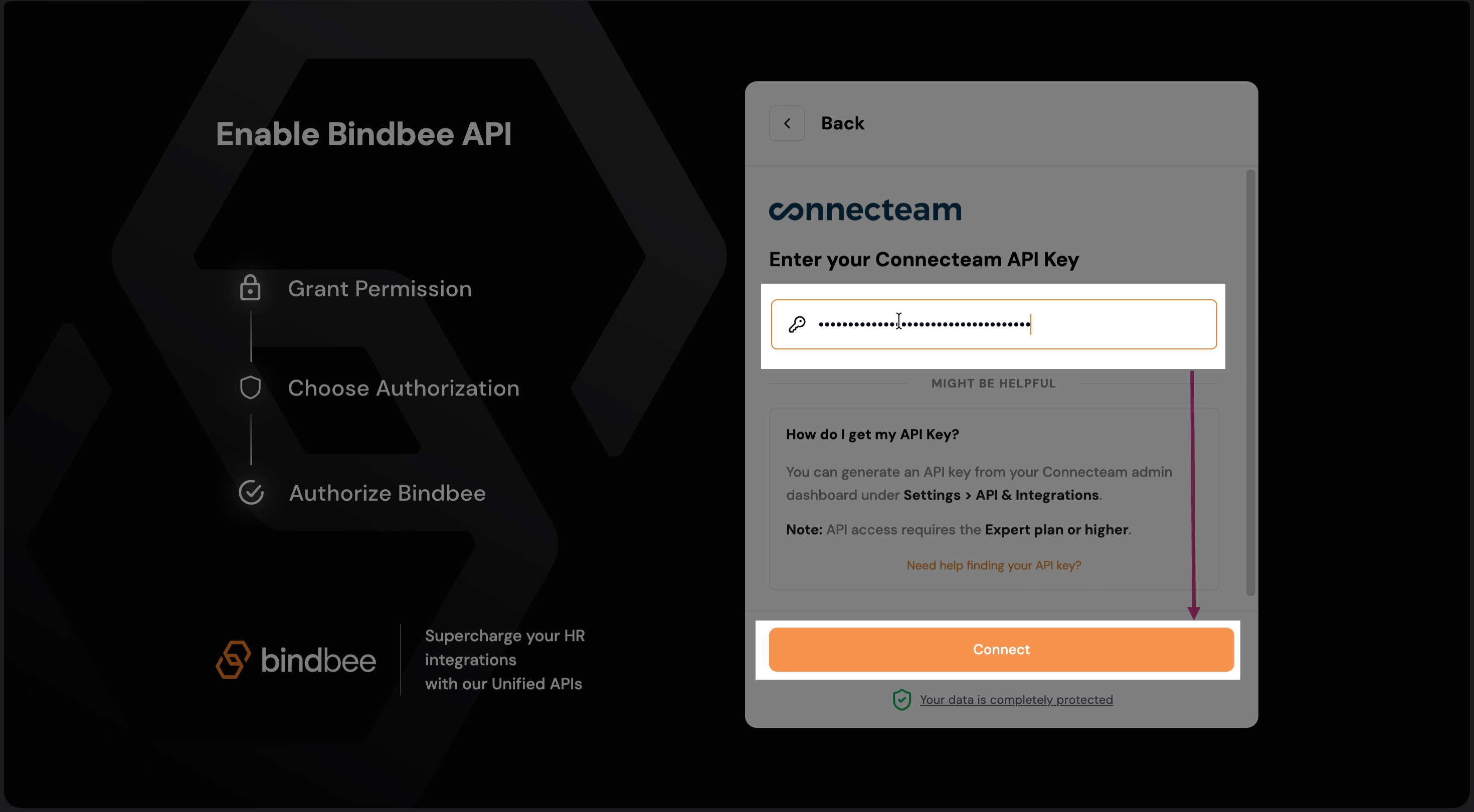
Step 2: Next, you will be asked to enter your Connecteam API Key.
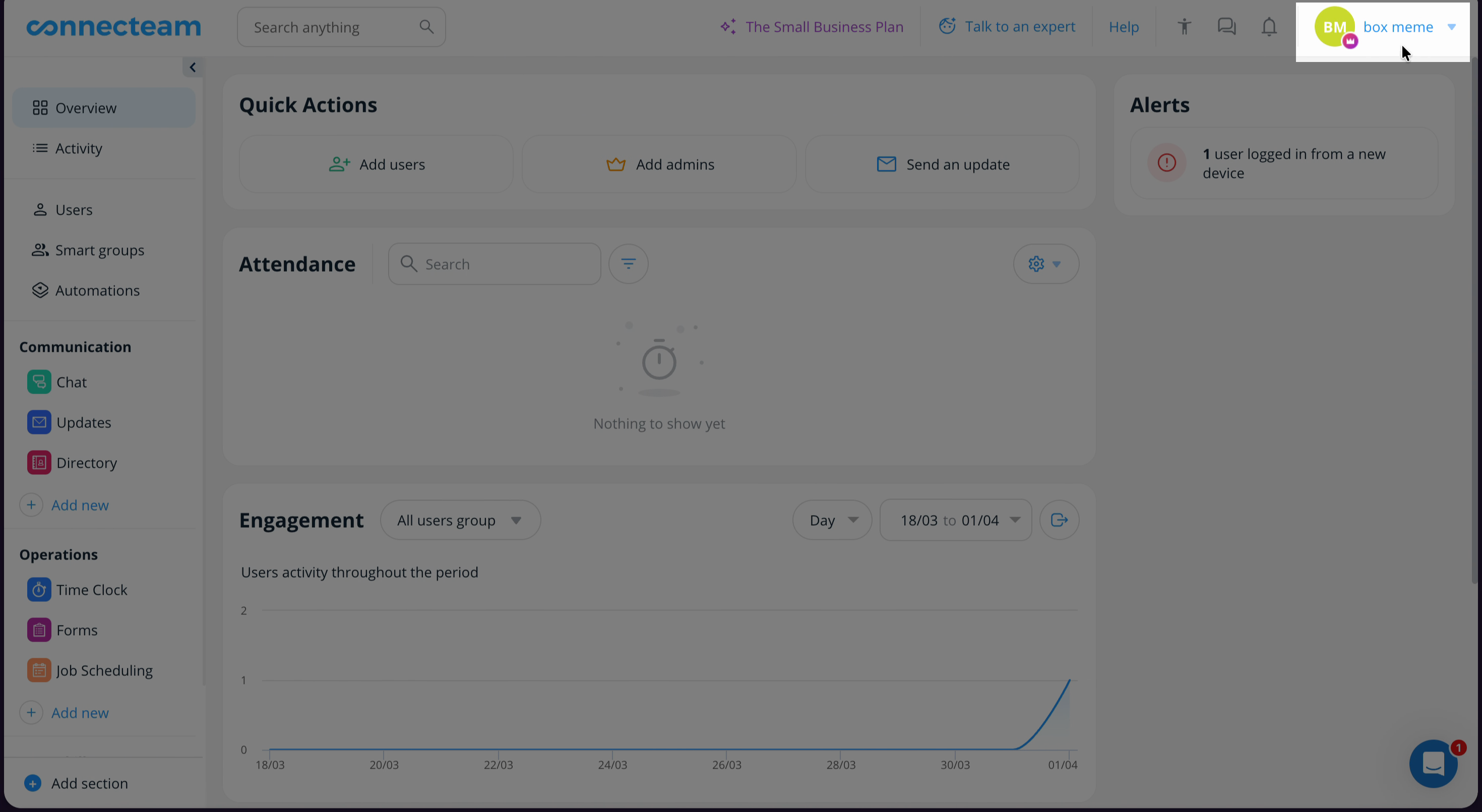
Step 3: Head over to your Connecteam dashboard and click on your name in the top right corner.
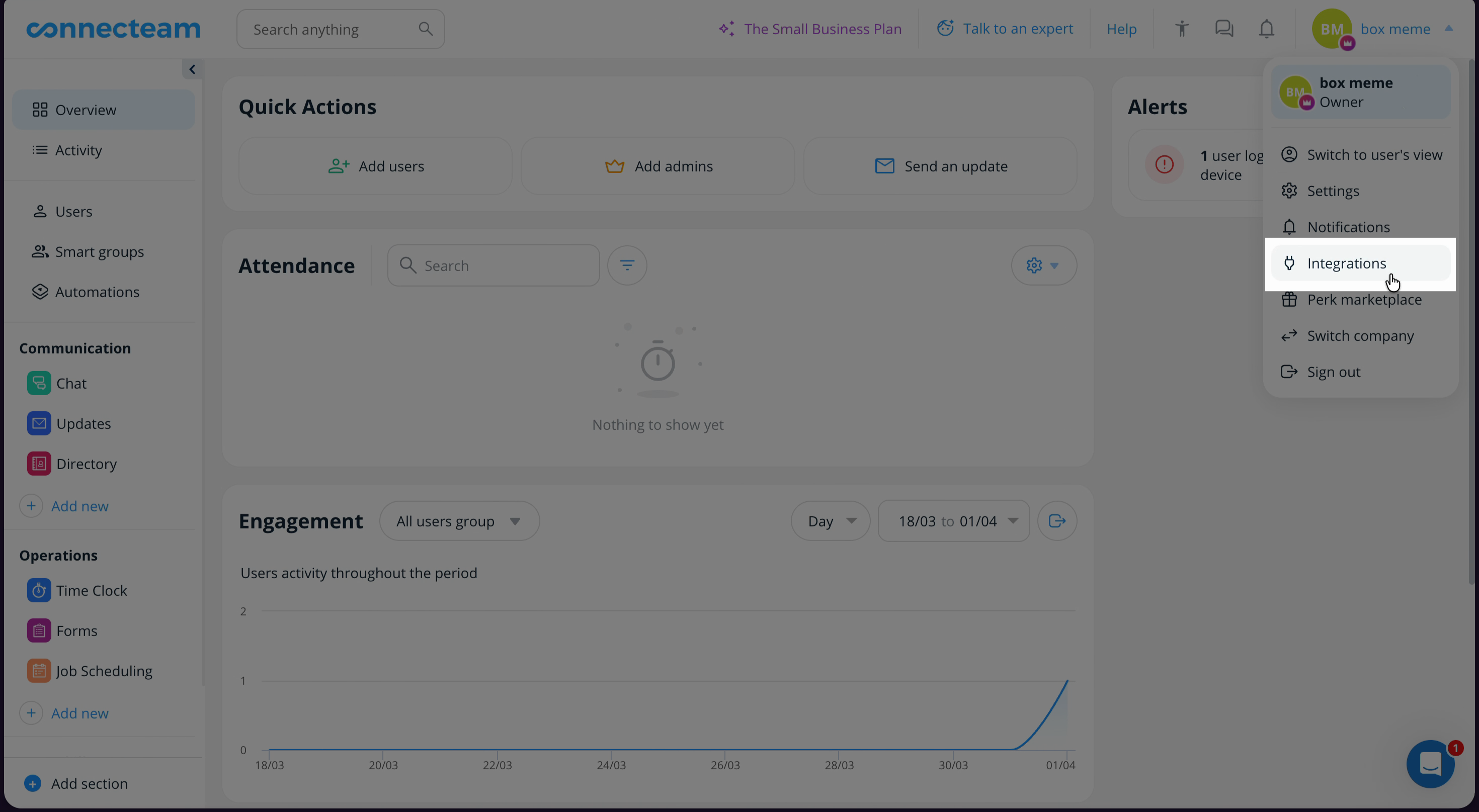
Step 4: Navigate to Integrations and then go to the API Keys.
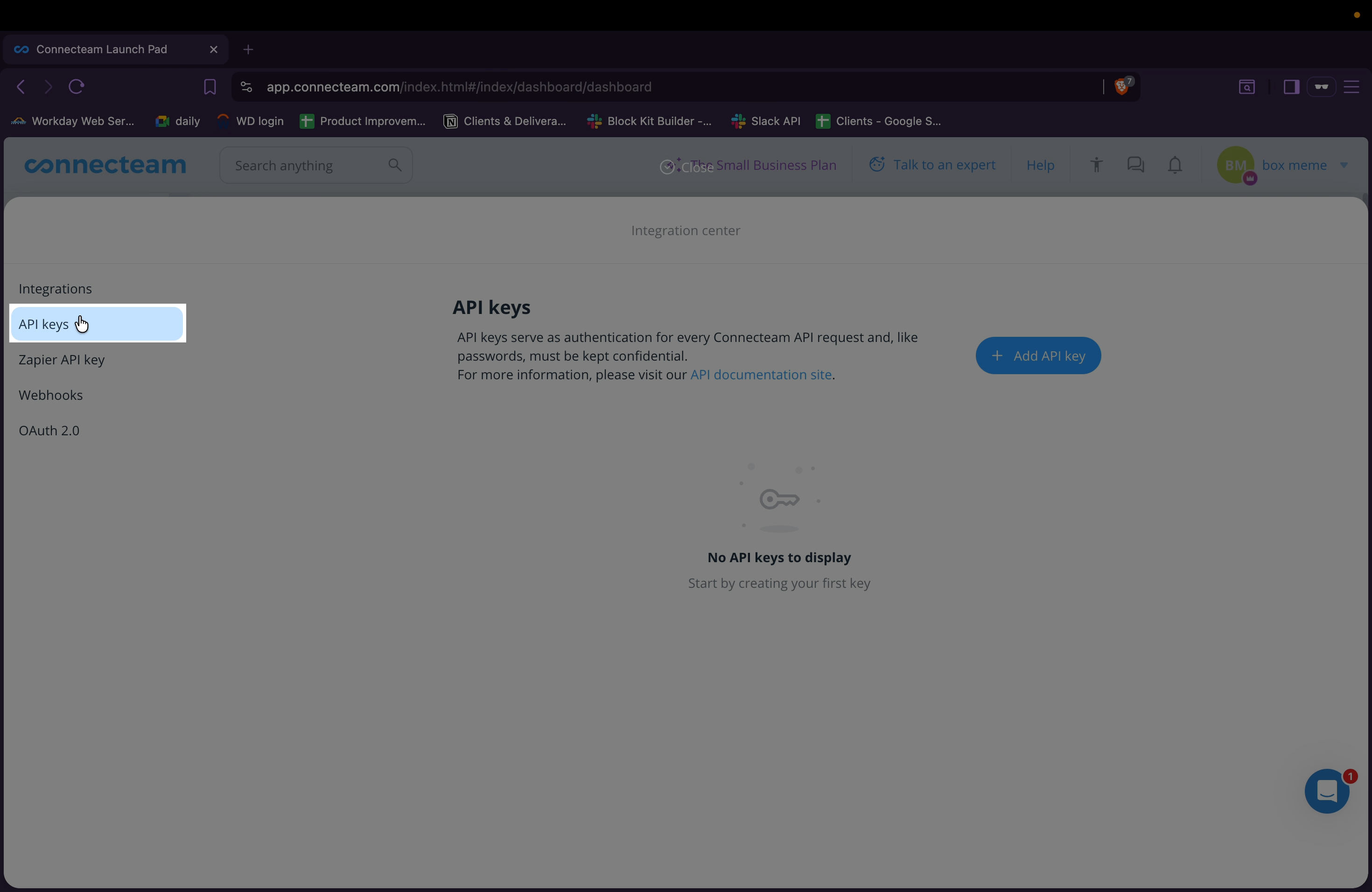
Step 5: Add a new API key.
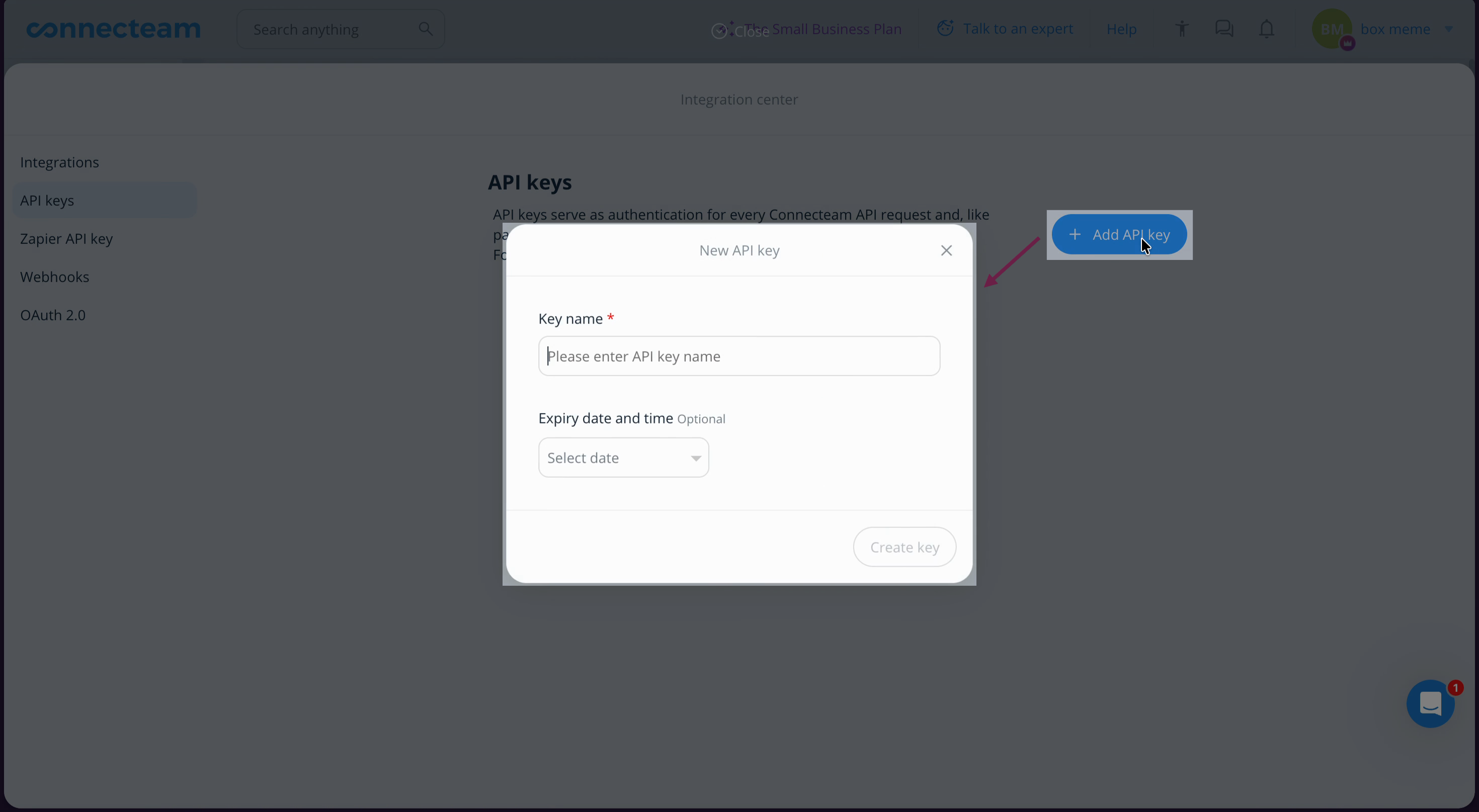
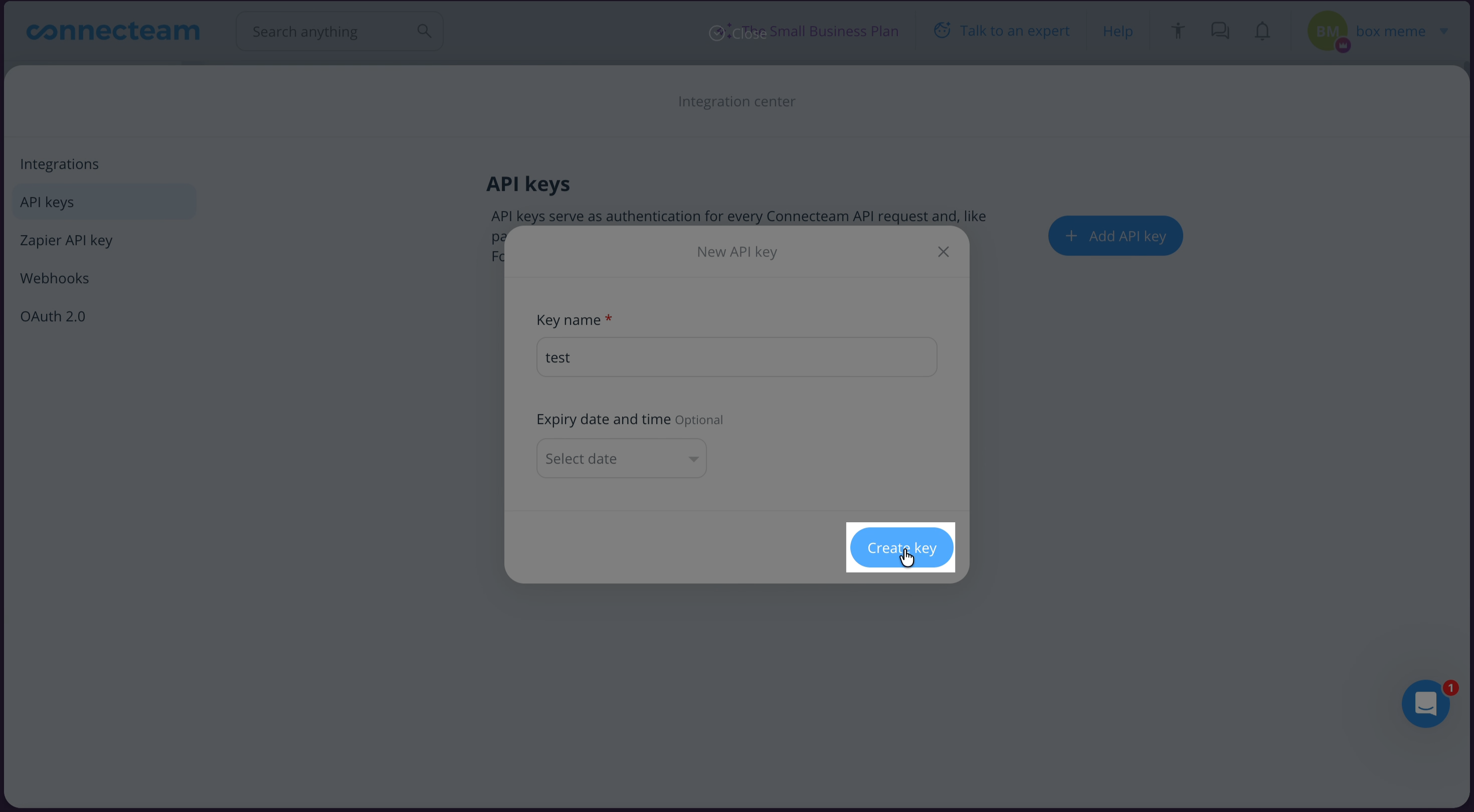
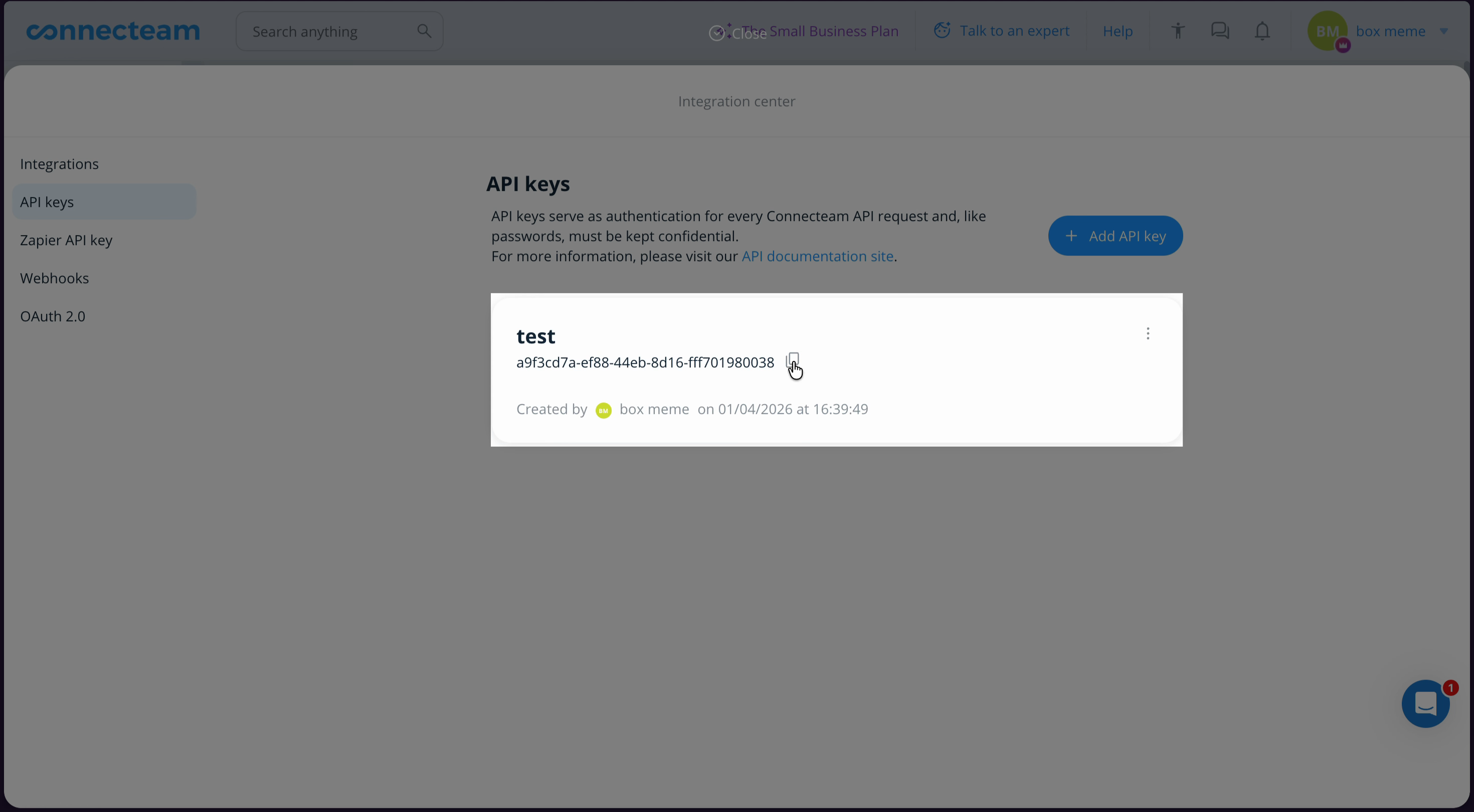
Step 6: Copy the generated API key and store it safely.
Step 7: Return to the Magic Link page. Paste your API key in the provided field. Then click Connect.
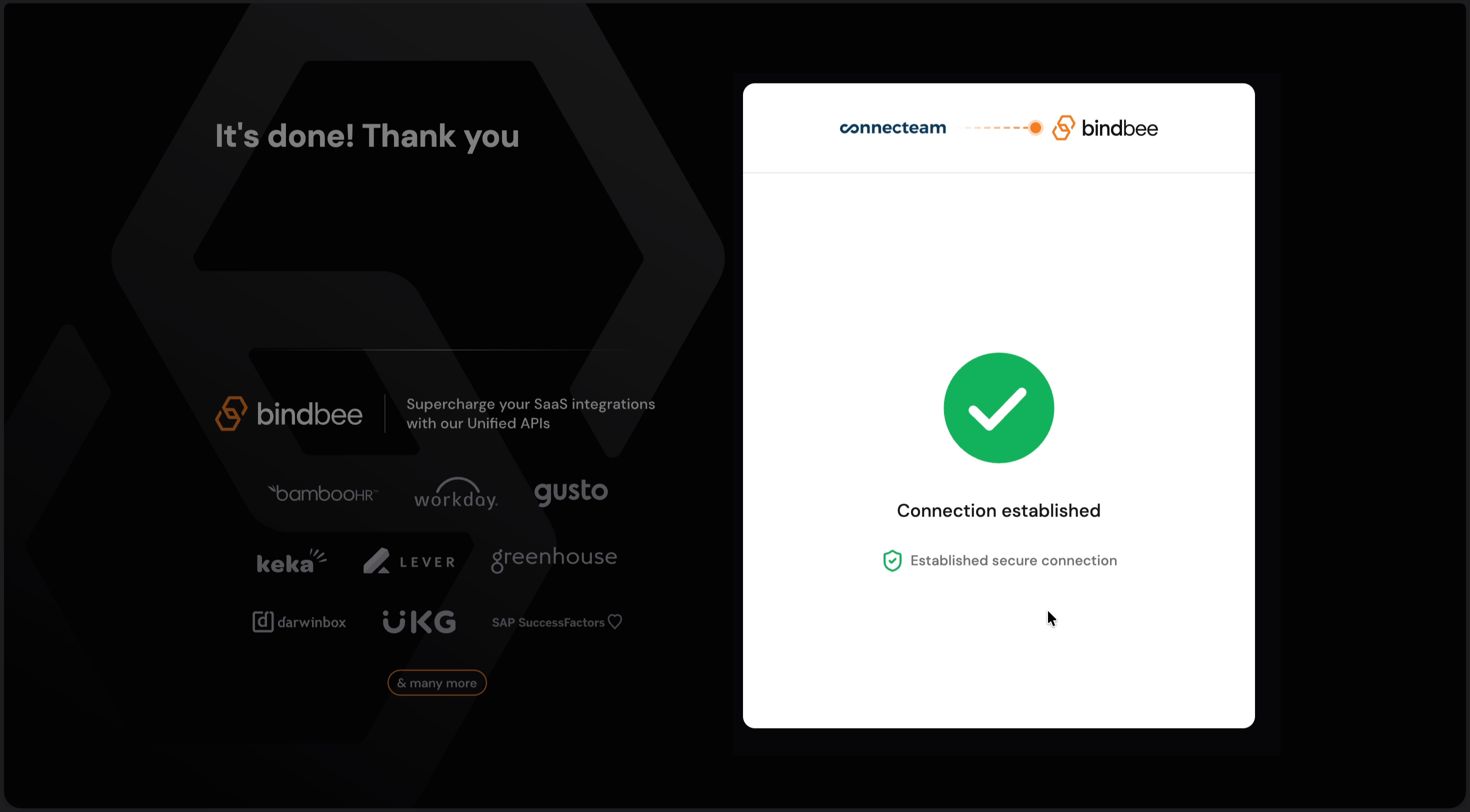
Congratulations! Your connection is successfully established!