

Oracle HCM – How do I connect my account?
This guide provides a step-by-step process to retrieve the credentials for your Oracle HCM account.
Before you begin
You will need administrator access to Oracle HCM, including the Security Console, so you can create a user and assign a role.
Have the Bindbee magic link for this connection ready.
Step 1: Allow Access
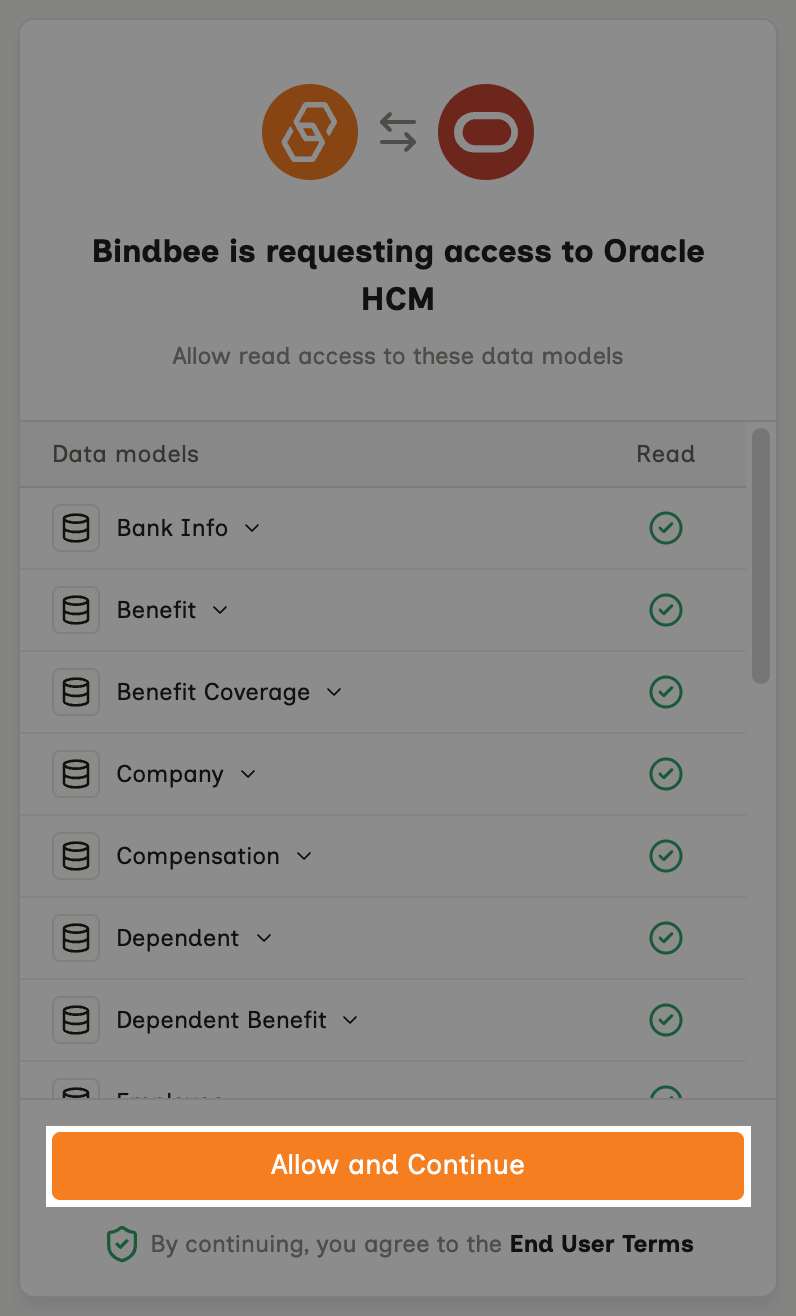
Start by opening the magic link provided. A pop-up window will appear.
Click "Allow and Continue".
Step 2: Enter Your Oracle HCM Server URL
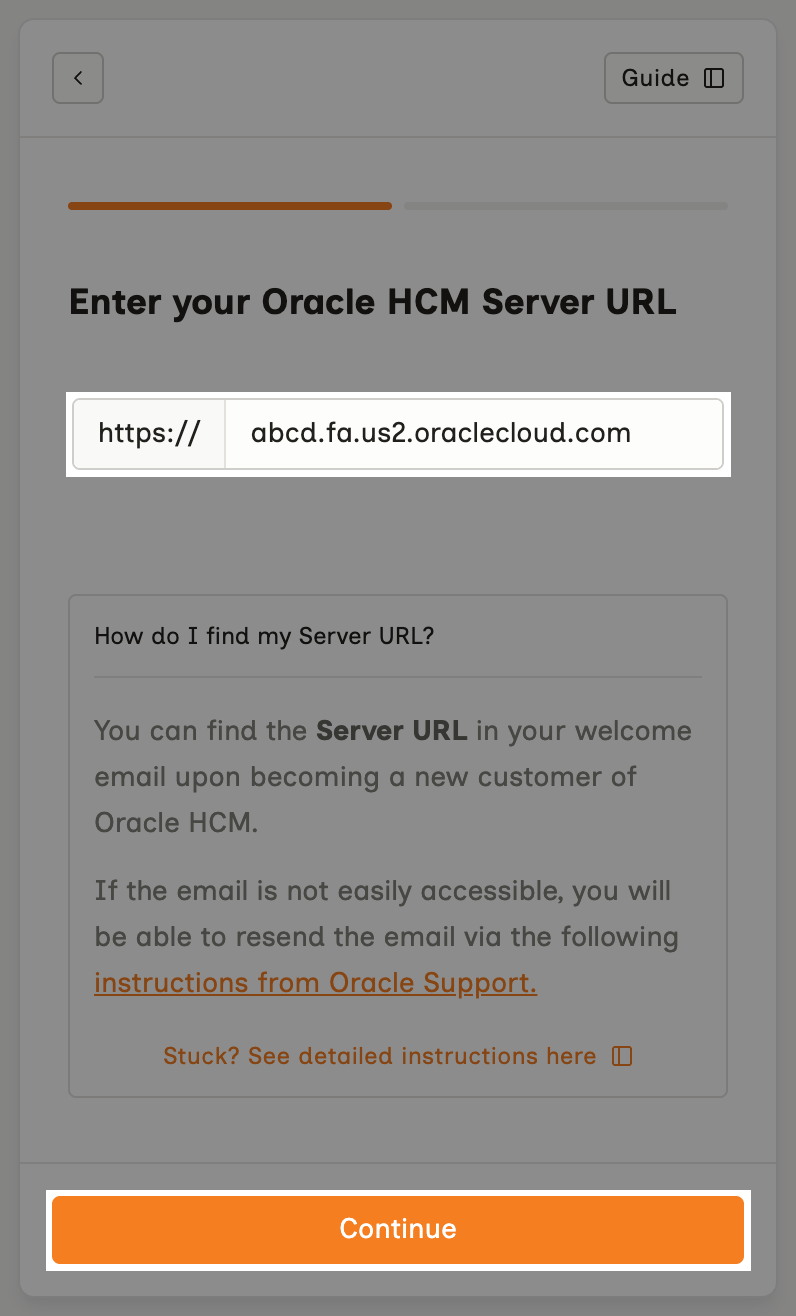
The magic link asks for your Oracle HCM Server URL. Here is how to find it.
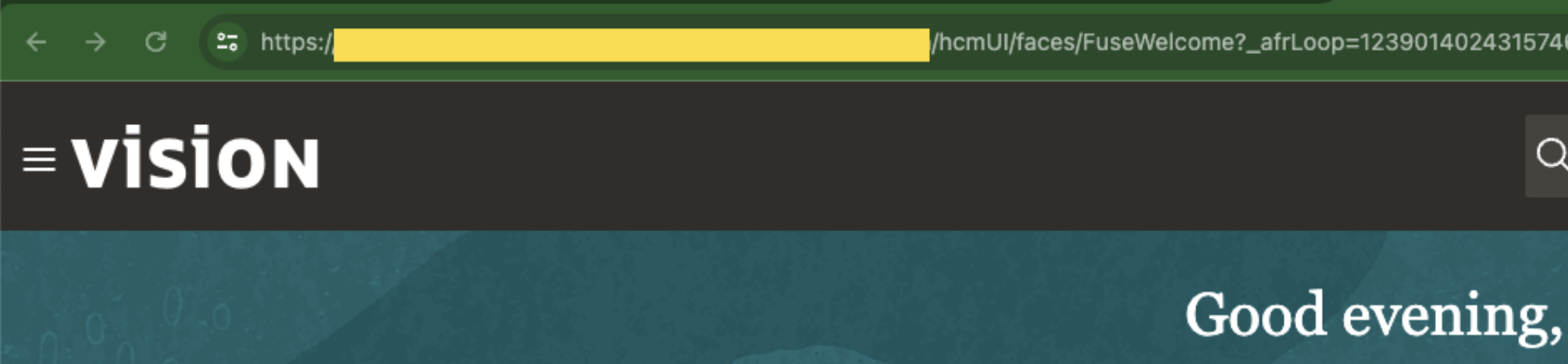
Finding Your Oracle HCM Cloud Address
Sign in to your Oracle HCM Cloud instance.
Copy the URL from "https://" up to the first "/", then paste it into the connection setup.
Entering the Server URL
Paste it into the magic link without the "https://" and click "Continue".
Step 3: Enter Your Oracle HCM Credentials
The magic link asks for the User Name and Password of an Oracle HCM user. Create a dedicated user for the integration, then enter its details.
Creating the Integration User and Permissions
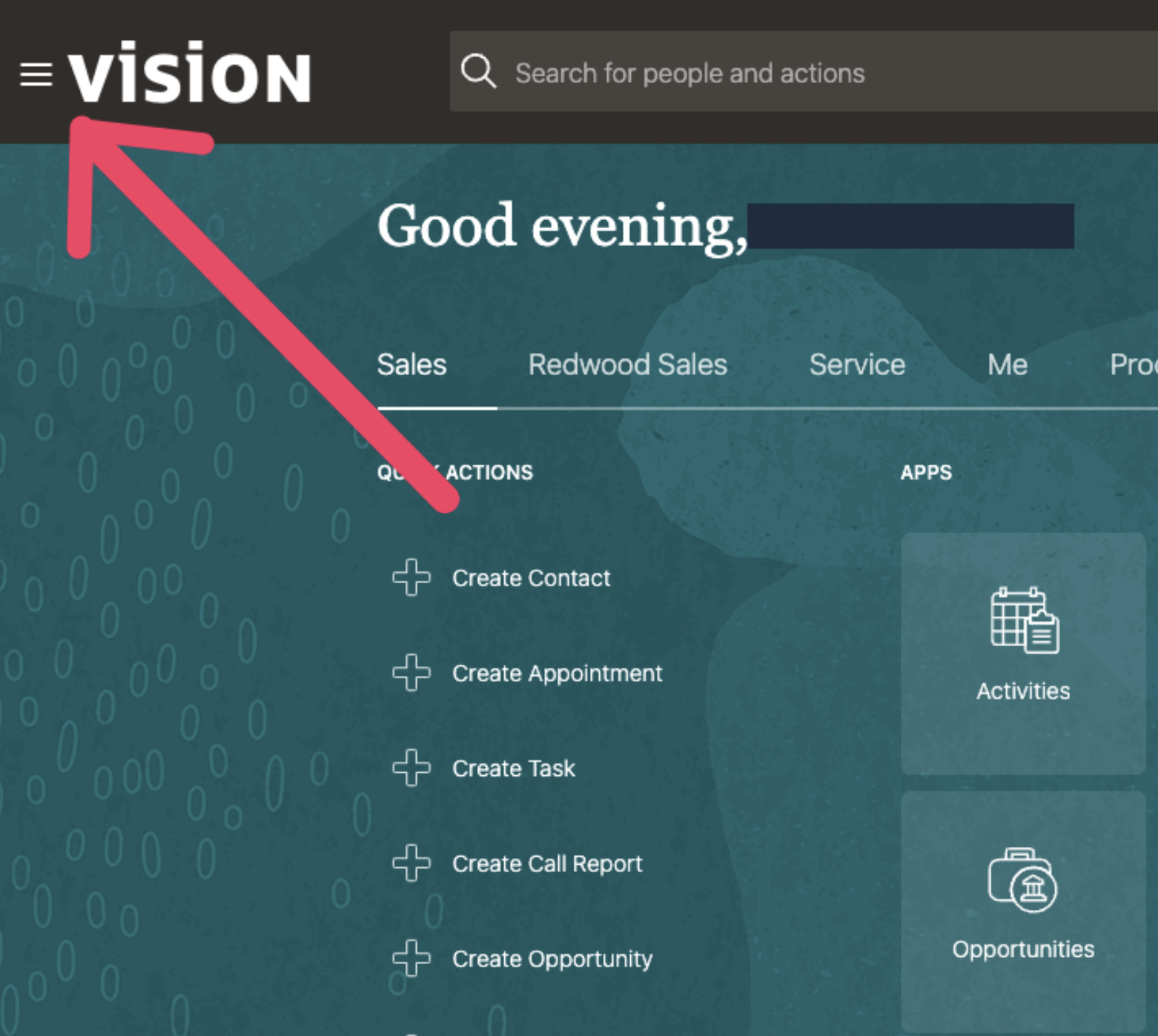
Click on the menu in the top-left corner of your Oracle HCM Cloud instance.
Navigate to "Tools", expand the menu, and select "Security Console".
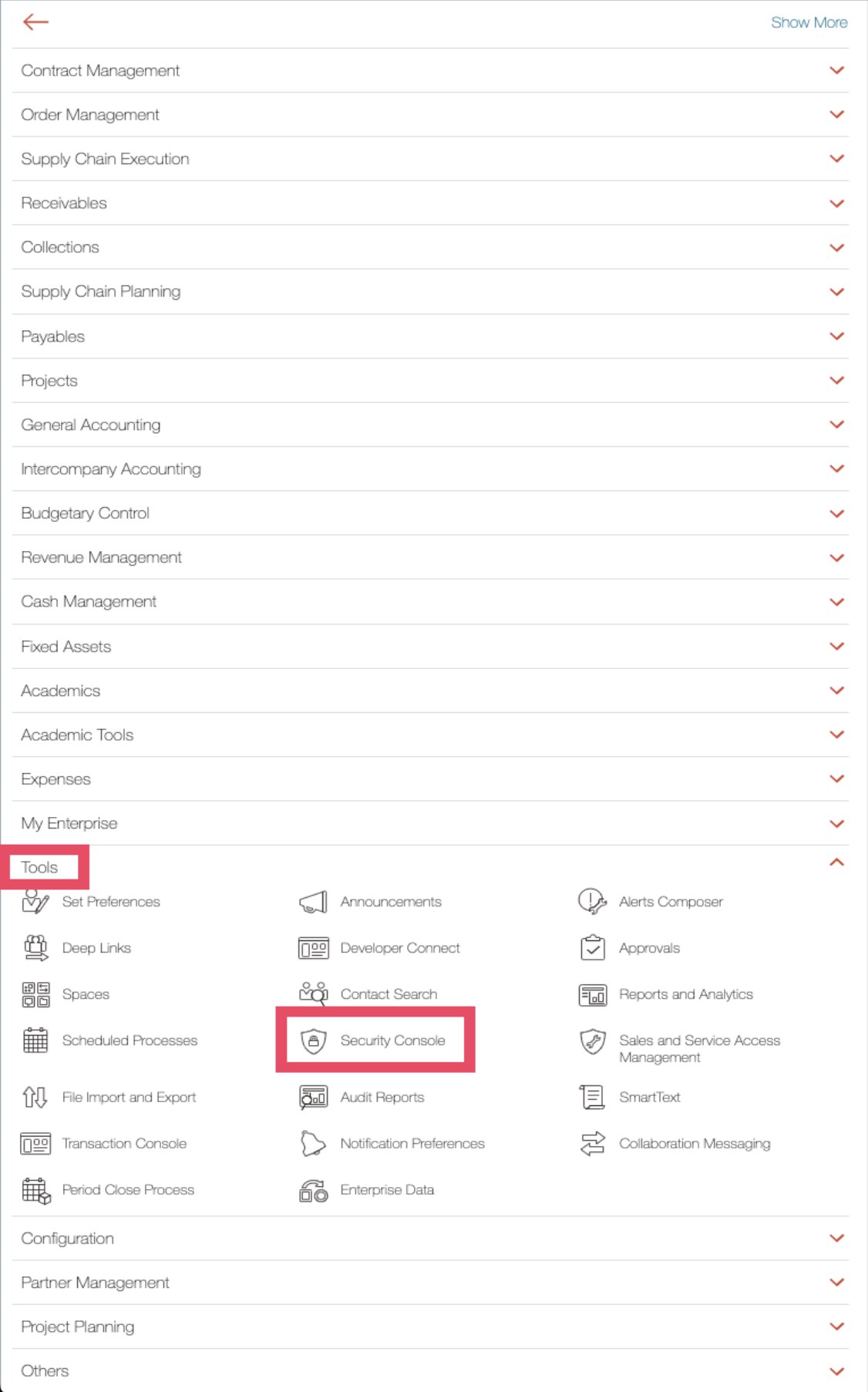
Note: If you don’t see the "Security Console" option, your account lacks the necessary permissions to proceed.
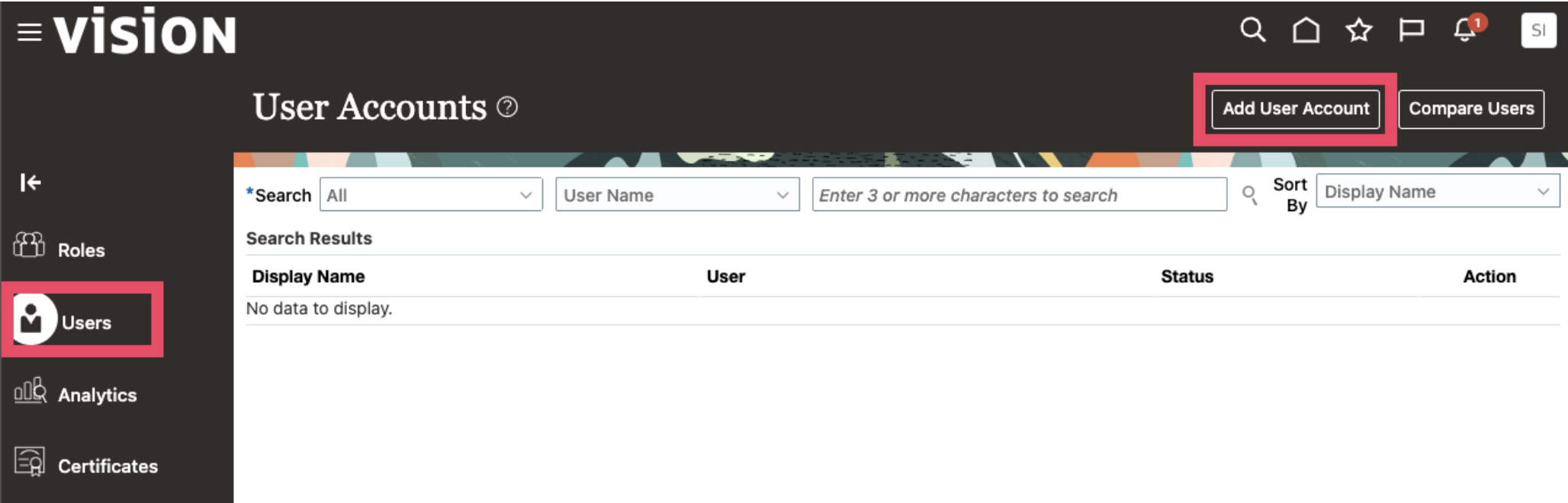
Go to "Users" and select "Add User Account".
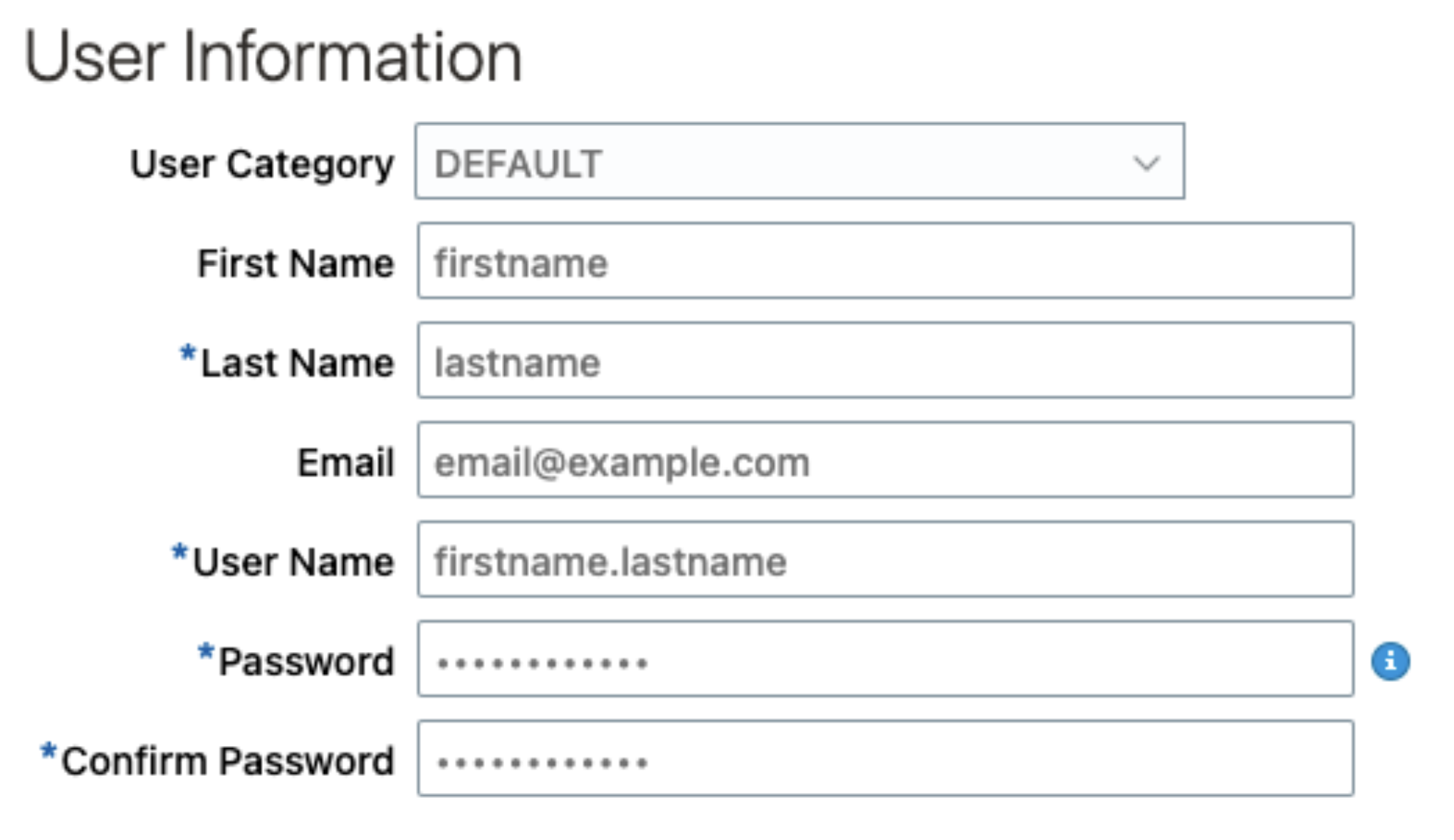
Enter the required details and make sure to save the Username and Password for later use.
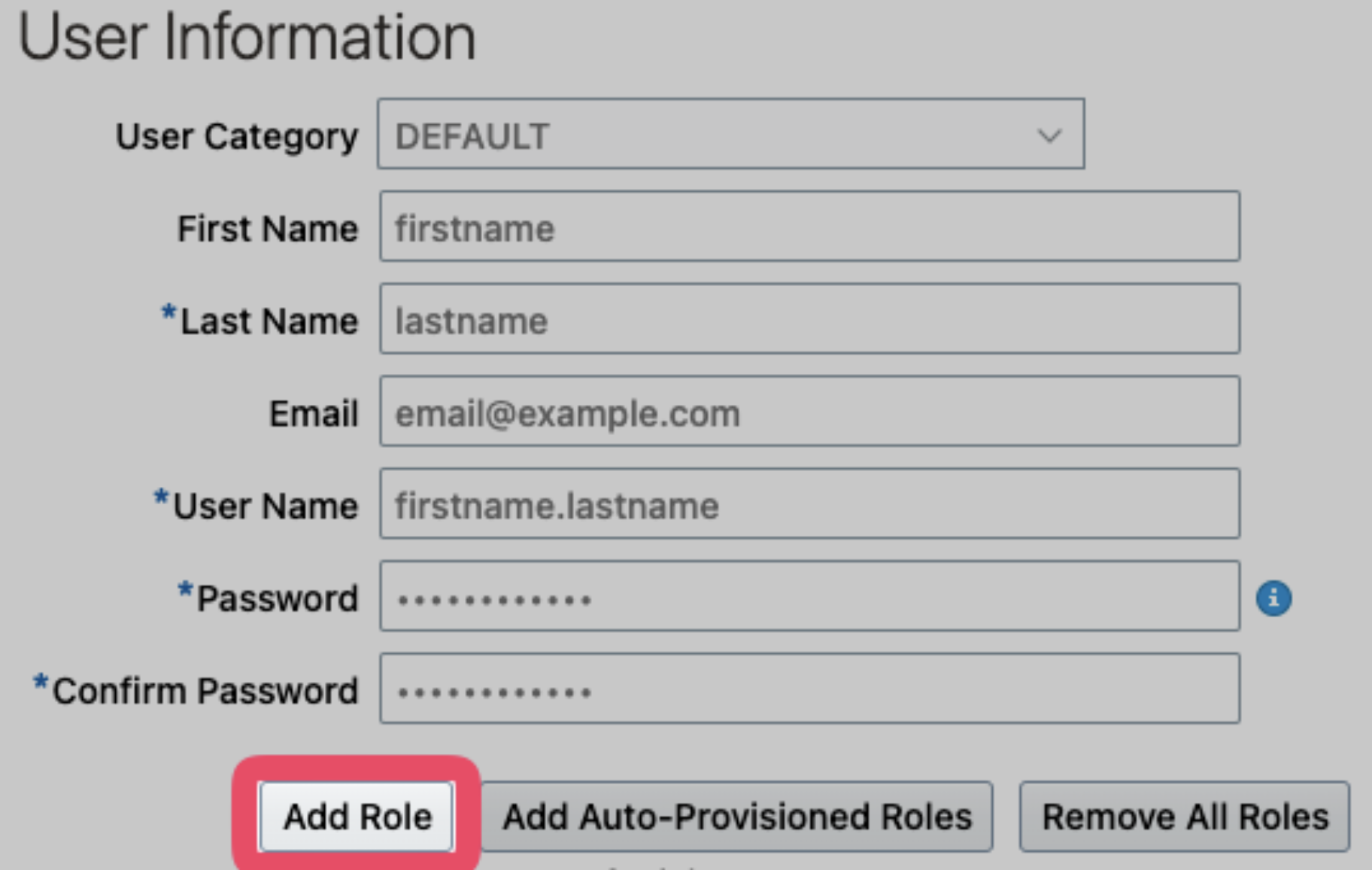
Click on "Add Role".
For each required role:
Search for the role.
Select the role.
Add the role.
Ensure all necessary roles are assigned before proceeding.
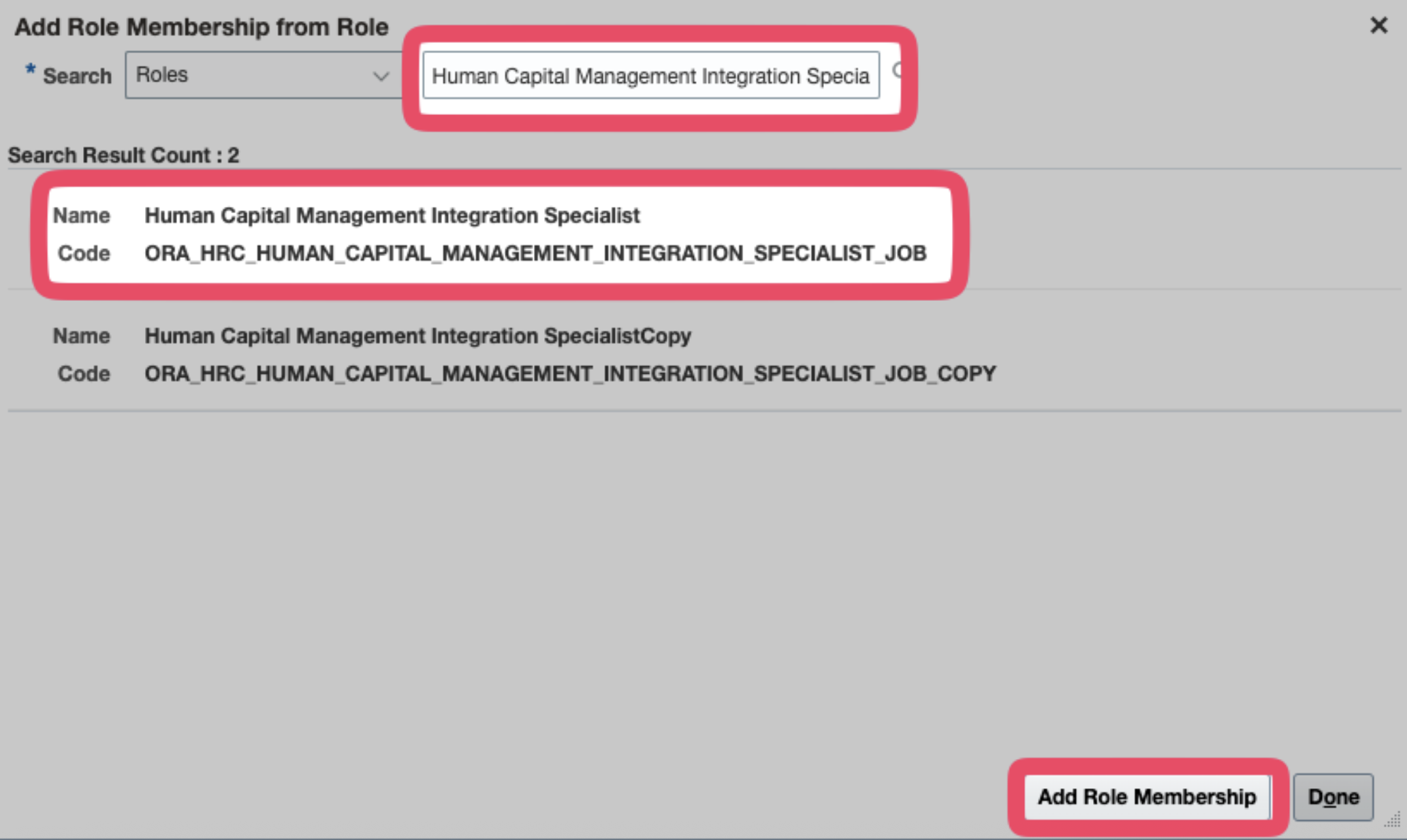
Note: The interface may vary depending on your setup. Make sure that the following permission is added:
“ORA_HRC_HUMAN_CAPITAL_MANAGEMENT_INTEGRATION_SPECIALIST_JOB”
After adding all roles, click "Save and Close".
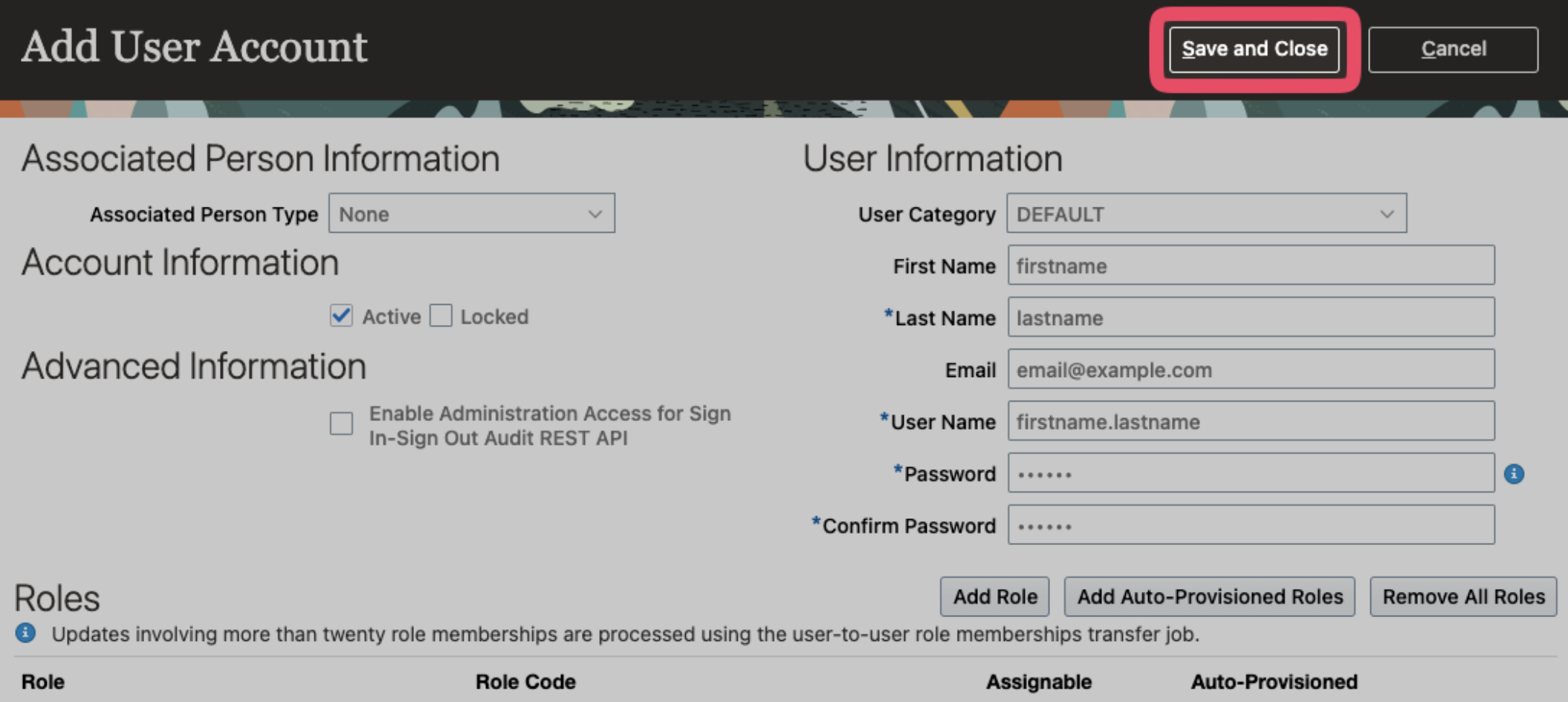
Entering Your Credentials
In the magic link, enter the User Name and Password of the user you created, then click "Connect".
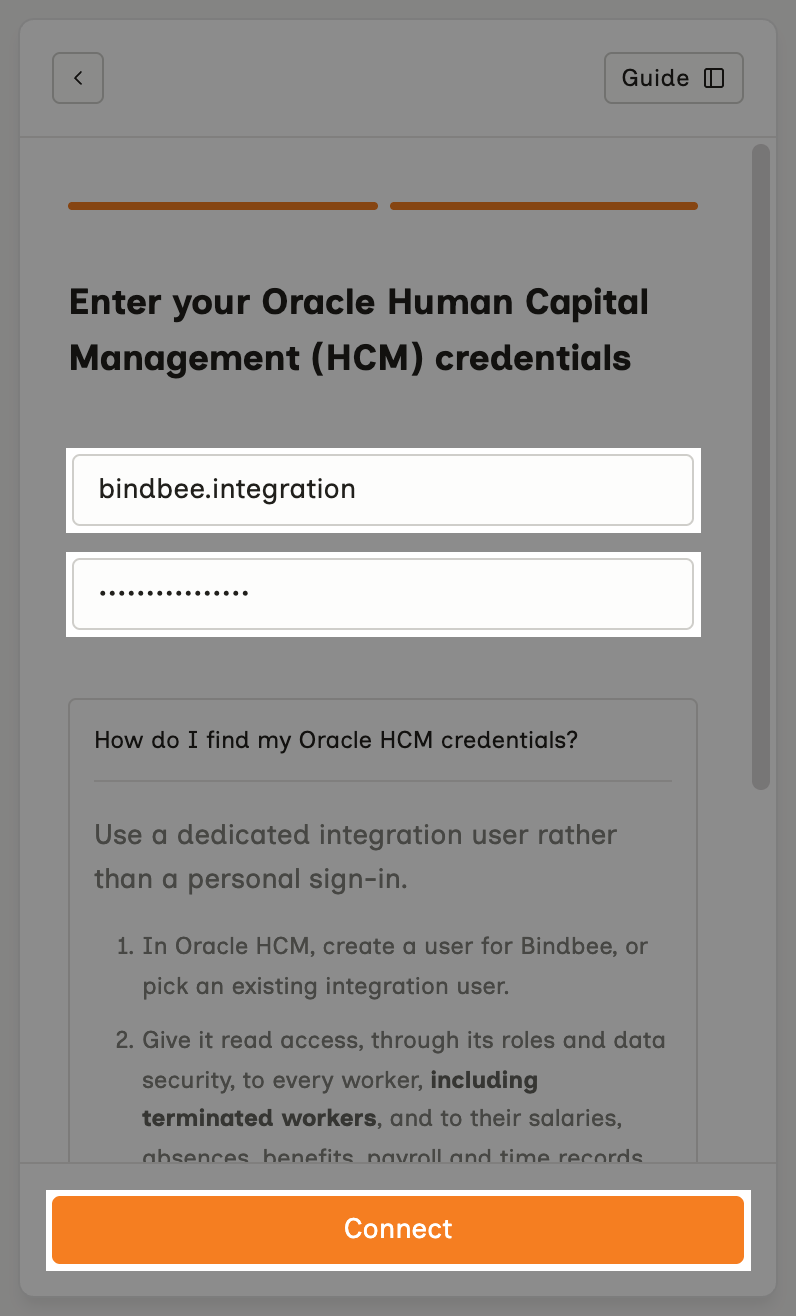
Credentials Summary
Here's a checklist of all the credentials you've gathered (keep these handy!):
✅ Oracle HCM Server URL
✅ User Name
✅ Password
If you encounter any issues or have any questions during the process, please feel free to contact us at [email protected]. We're here to ensure a seamless setup experience.